> ## Documentation Index
> Fetch the complete documentation index at: https://docs.elementary-data.com/llms.txt
> Use this file to discover all available pages before exploring further.
# Bring your own key (BYOK)
By default, the Elementary AI Agent runs on self-hosted models through Amazon Bedrock, and reasoning is billed as [AI credits](/cloud/ai-agents/ai-credits).
With Bring Your Own Key (BYOK), you connect your own LLM provider key instead. The agent then runs on your account with that provider, and **Elementary does not bill AI credits for any reasoning that uses your key** — you pay the provider directly.
## Supported providers
| Provider | Notes |
| ------------- | ----------------------------------------------------------------------- |
| **Anthropic** | Any Claude model available to your API key |
| **OpenAI** | Chat-capable models available to your API key (`gpt-*`, `o1`/`o3`/`o4`) |
Amazon Bedrock remains the default when no key is configured.
## How it works
* The key is used for both the interactive **chat** agent and the background **runner** (incident triage, test recommendations, and other automated workflows).
* When a key is configured, Elementary's AI credit quotas are **bypassed** — usage is metered by your provider, not by Elementary.
* Token counts are still recorded for observability, but no cost is attributed on Elementary's side.
* You can curate which models are exposed in the chat model picker. Leave the selection empty to expose every model your key can access.
On BYOK accounts, the agent's requests (including the system prompt) are sent to your provider using your key, so they appear in your provider's own request logs.
## Set it up
1. Go to **Account → Agent Settings → Bring your own key**.
2. Choose a provider (Anthropic or OpenAI) and paste your API key. Keys are stored encrypted.
3. Optionally select which models to expose in the chat picker.
4. Save. New chat sessions and agent runs will use your key.
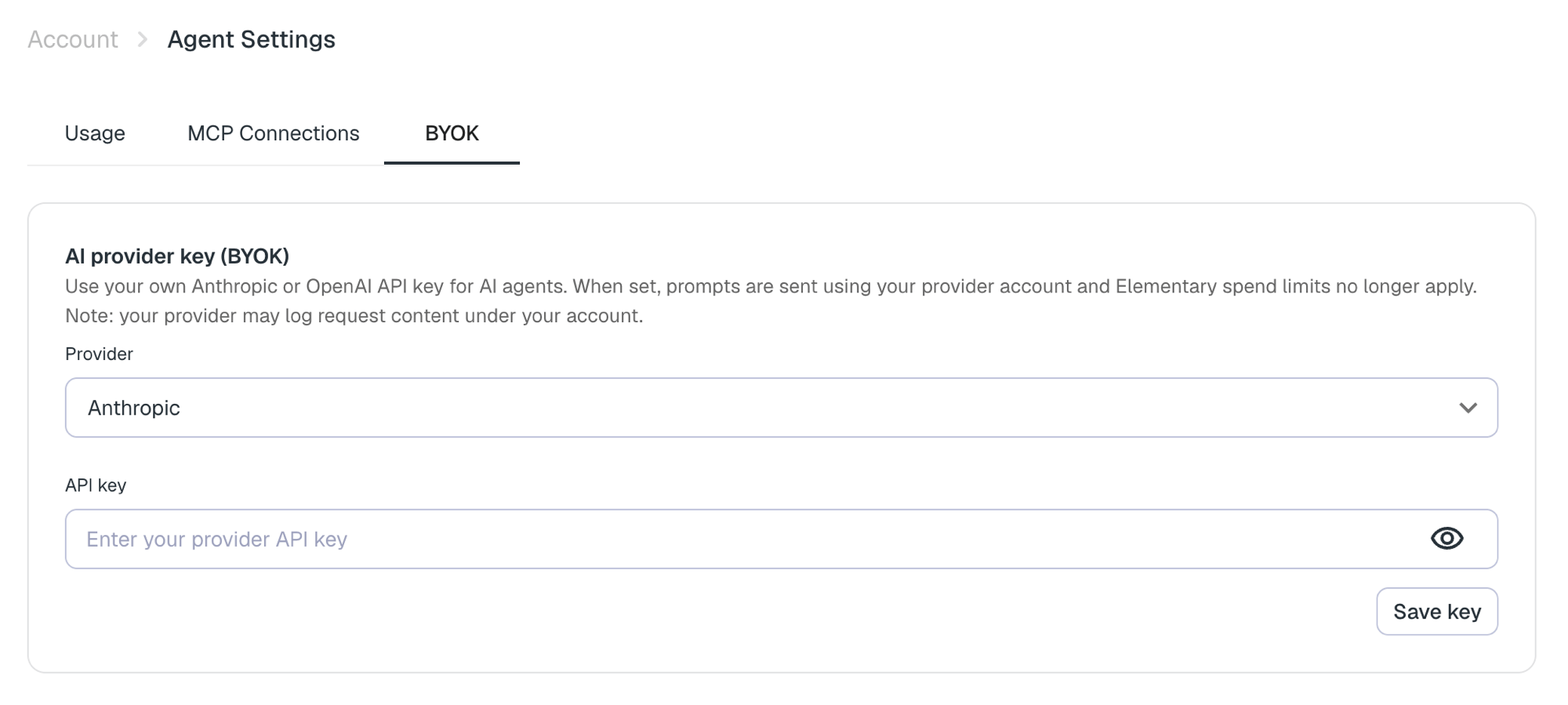 To revert to Elementary's Bedrock models and AI credits, delete the key from the same screen.
Managing BYOK requires the **Edit integrations** permission.
To revert to Elementary's Bedrock models and AI credits, delete the key from the same screen.
Managing BYOK requires the **Edit integrations** permission.