> ## Documentation Index
> Fetch the complete documentation index at: https://docs.elementary-data.com/llms.txt
> Use this file to discover all available pages before exploring further.
# Connect MCP servers to the agent
MCP connections let the Elementary AI Agent pull context from external systems through their own [MCP](/cloud/mcp/overview) servers. Their tools are added to the agent alongside Elementary's own tools, so root cause analysis and triage can reach across systems Elementary doesn't own.
This is the inbound direction — external MCP servers feeding tools **into** the Elementary agent. For exposing Elementary's own data **to** other AI tools (Cursor, Claude, etc.), see the [MCP Server](/cloud/mcp/overview).
## Available connectors
| Connector | Transport | What it adds |
| ------------- | ----------- | --------------------------------------------------- |
| **dbt Cloud** | Remote HTTP | dbt Cloud run, job, and model context for the agent |
## dbt Cloud
Connect dbt Cloud so the agent has complete context when triaging issues — it can pull dbt Cloud run and job context directly through its MCP tools.
1. Go to **Account → Agent Settings → MCP Connections**.
2. Add a **dbt Cloud** connection.
3. Paste your dbt Cloud MCP server URL and a service token. Tokens are stored encrypted.
4. Save.
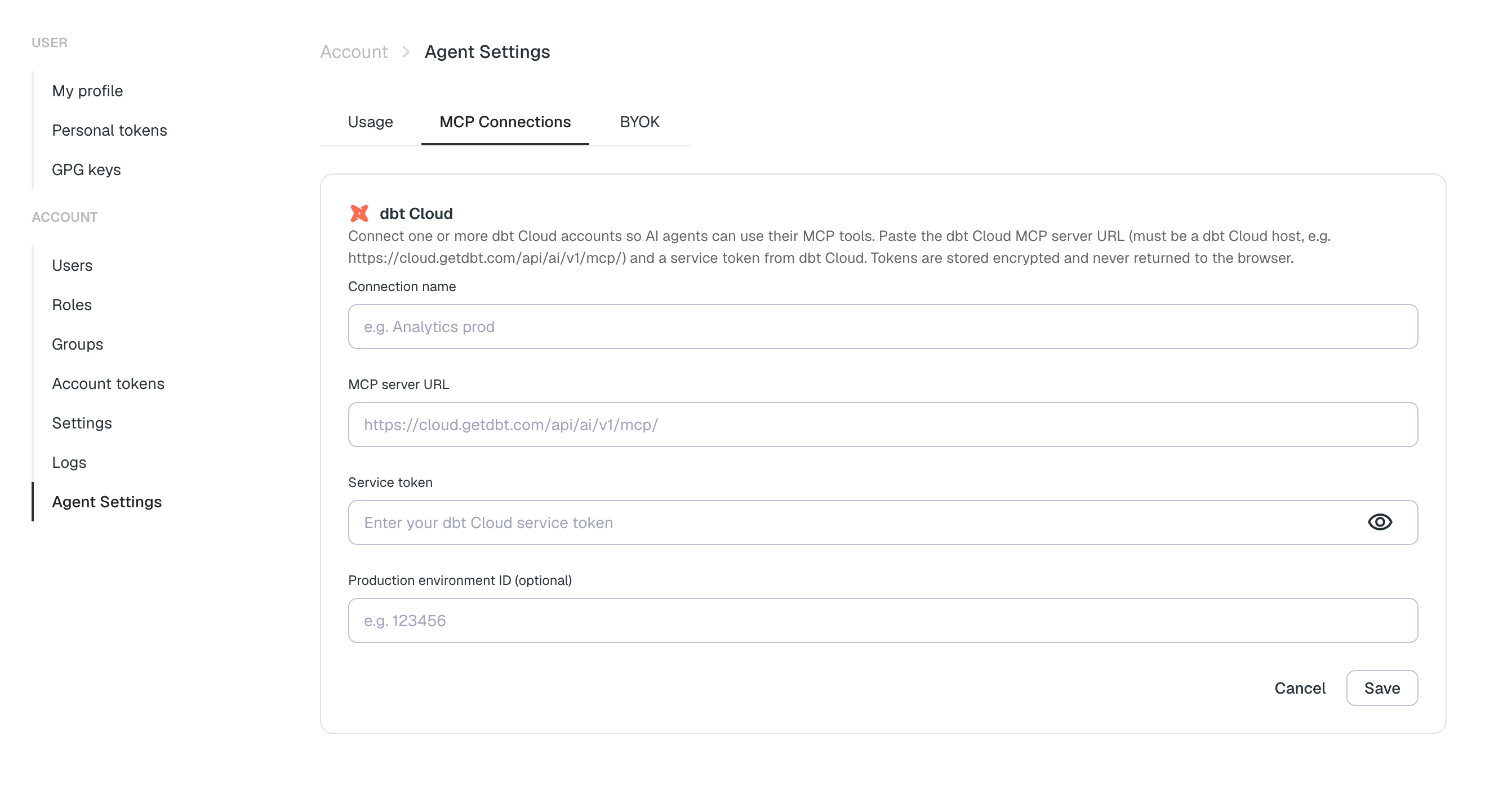 Once connected, the agent's dbt Cloud tools are available in chat and in automated runs. Enable the connection from the chat integrations picker to include it in a session.
See the [dbt Cloud integration](/cloud/integrations/transformation-and-orchestration/dbt-cloud#connect-dbt-cloud-to-the-agent) for the full setup.
Managing MCP connections requires the **Edit integrations** permission.
Once connected, the agent's dbt Cloud tools are available in chat and in automated runs. Enable the connection from the chat integrations picker to include it in a session.
See the [dbt Cloud integration](/cloud/integrations/transformation-and-orchestration/dbt-cloud#connect-dbt-cloud-to-the-agent) for the full setup.
Managing MCP connections requires the **Edit integrations** permission.