> ## Documentation Index
> Fetch the complete documentation index at: https://docs.elementary-data.com/llms.txt
> Use this file to discover all available pages before exploring further.
# Critical Assets
### **What is a Critical Asset?**
A critical asset is any data asset (such as a model, exposure, or report) that plays a crucial role in your company's data ecosystem. Issues affecting these assets can have a significant impact on business operations, dashboards, and decision-making.
Marking an asset as **critical** ensures it receives higher priority in monitoring and alerting, helping you quickly identify and respond to issues that may impact it.
 Critical assets work best when ownership and tagging are already in place. See [Governance best practices](/cloud/best-practices/governance-for-observability) for how to set that foundation.
## What Should Be Set as a Critical Asset?
You should mark an asset as **critical** if:
* It directly impacts key **business reports, dashboards, or decision-making tools**.
* It serves as an essential **upstream dependency** for other important data models.
* It is frequently used by **multiple teams or stakeholders**.
* Its failure or inaccuracy could cause **significant business or operational risks**
## Why Should I Define My Critical Assets?
Defining your **critical assets** helps you:
* **Quickly identify and respond to issues**– Get notified when upstream problems may impact your critical assets, ensuring faster resolution and minimal disruption.
* **Prioritize issue resolution**– Focus on addressing incidents that have the greatest impact on business operations, dashboards, and decision-making.
* **Improve data reliability**– Ensure key stakeholders have access to accurate and up-to-date data by monitoring critical assets more effectively.
* **Enhance observability**– Gain better visibility into the health of your most important assets through prioritized monitoring and alerting.
## How to Set a Critical Asset?
You can mark an asset as **critical** directly in the UI:
* **From the Catalog Page** – Navigate to the asset in the catalog and click the **diamond icon** to **"Set as Critical Asset."**
* **From the Lineage View** – Right-click on the node representing the asset and select **"Set as Critical Asset"** from the list.
Once an asset is marked as critical, **alerts will now highlight any issues that may impact this asset or its upstream dependencies, ensuring prioritization.**
## Where Can You See Critical Assets?
Once an asset is marked as **critical**, you will be able to:
* **Identify it in the UI**, where it will be visually highlighted.
* **Receive alerts** when upstream issues may impact the critical asset.
* **Filter incidents** by their impact on critical assets.
* **Track health scores of critical data assets** over time through dashboard monitoring.
Critical assets work best when ownership and tagging are already in place. See [Governance best practices](/cloud/best-practices/governance-for-observability) for how to set that foundation.
## What Should Be Set as a Critical Asset?
You should mark an asset as **critical** if:
* It directly impacts key **business reports, dashboards, or decision-making tools**.
* It serves as an essential **upstream dependency** for other important data models.
* It is frequently used by **multiple teams or stakeholders**.
* Its failure or inaccuracy could cause **significant business or operational risks**
## Why Should I Define My Critical Assets?
Defining your **critical assets** helps you:
* **Quickly identify and respond to issues**– Get notified when upstream problems may impact your critical assets, ensuring faster resolution and minimal disruption.
* **Prioritize issue resolution**– Focus on addressing incidents that have the greatest impact on business operations, dashboards, and decision-making.
* **Improve data reliability**– Ensure key stakeholders have access to accurate and up-to-date data by monitoring critical assets more effectively.
* **Enhance observability**– Gain better visibility into the health of your most important assets through prioritized monitoring and alerting.
## How to Set a Critical Asset?
You can mark an asset as **critical** directly in the UI:
* **From the Catalog Page** – Navigate to the asset in the catalog and click the **diamond icon** to **"Set as Critical Asset."**
* **From the Lineage View** – Right-click on the node representing the asset and select **"Set as Critical Asset"** from the list.
Once an asset is marked as critical, **alerts will now highlight any issues that may impact this asset or its upstream dependencies, ensuring prioritization.**
## Where Can You See Critical Assets?
Once an asset is marked as **critical**, you will be able to:
* **Identify it in the UI**, where it will be visually highlighted.
* **Receive alerts** when upstream issues may impact the critical asset.
* **Filter incidents** by their impact on critical assets.
* **Track health scores of critical data assets** over time through dashboard monitoring.
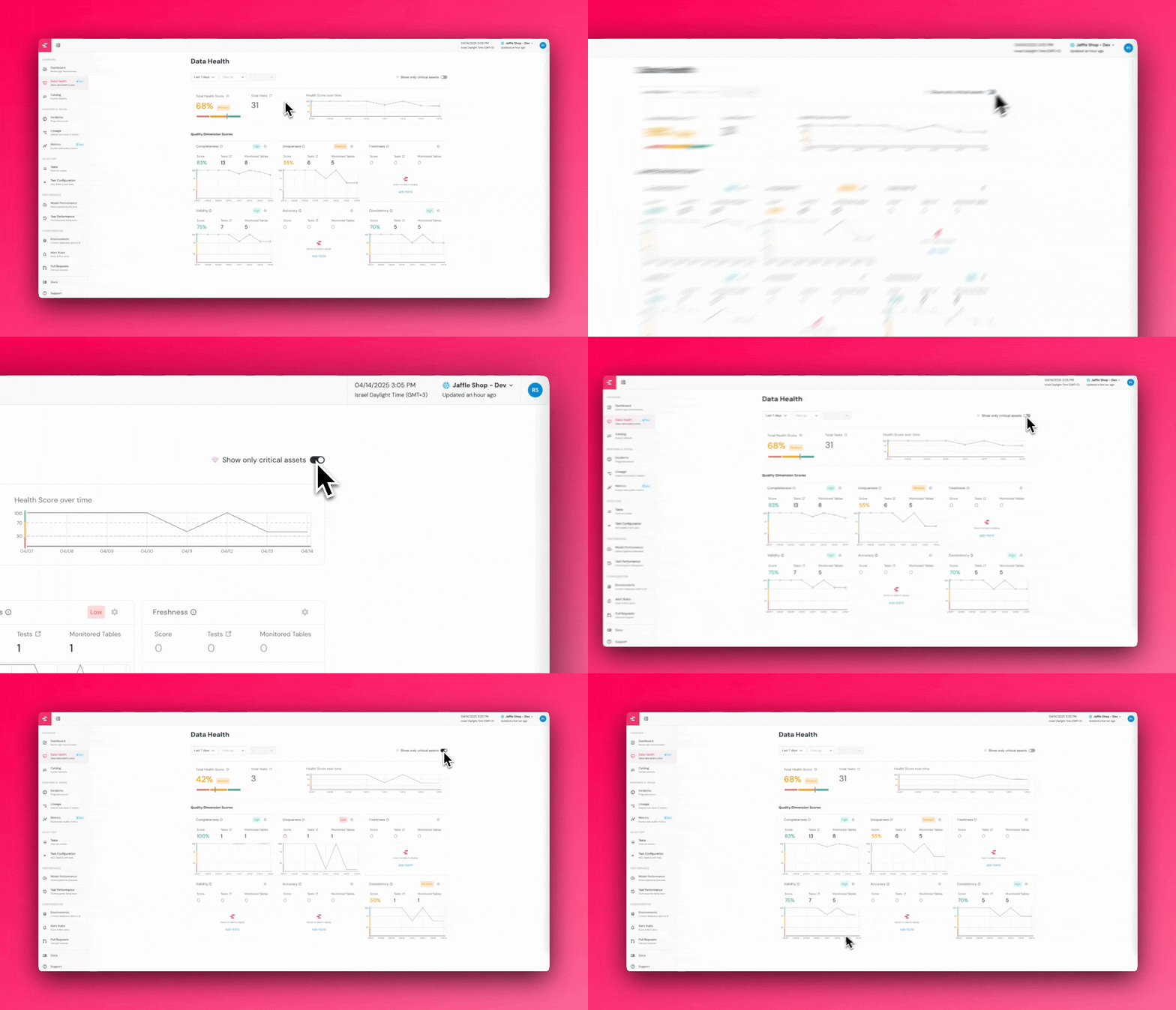 By carefully selecting which assets to mark as critical, you can quickly detect and prioritize issues that impact your most important data, reducing disruptions, improving reliability, and keeping key stakeholders informed.