> ## Documentation Index
> Fetch the complete documentation index at: https://docs.elementary-data.com/llms.txt
> Use this file to discover all available pages before exploring further.
# Email
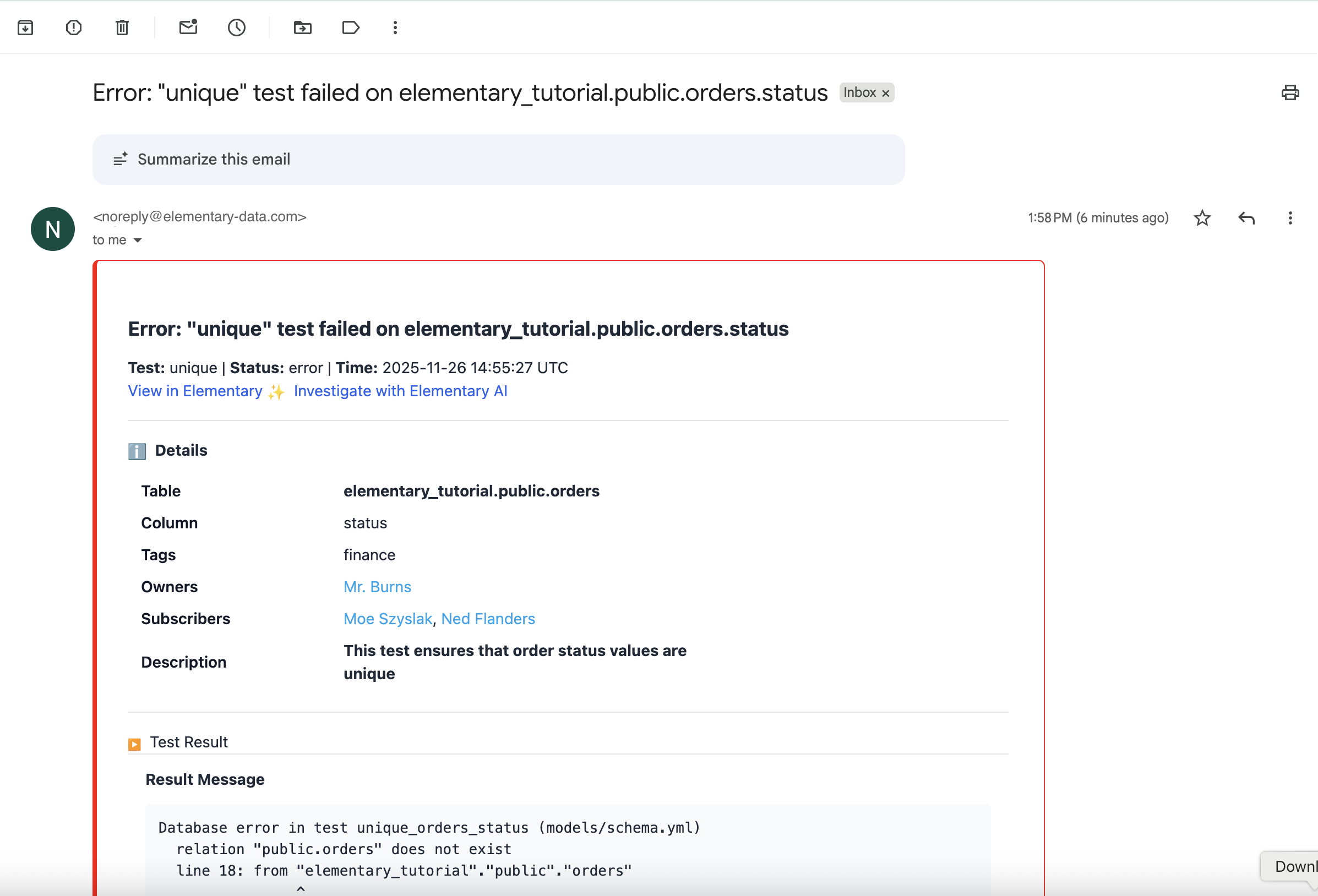
Elementary supports sending alerts directly to email recipients, without requiring environment-level configuration. Email destinations can be added and managed directly within alert rules.
## Overview
* Email **does not** need to be configured as an integration on the Environment page.
* Email can be added **directly as a provider** when creating or editing alert rules.
* Users can enter individual emails or paste entire lists.
## Creating an Email Alert Destination
1. Go to **Alert Destinations**.
2. Select **Add new alert provider**.
3. Choose **Email**.
### Adding recipients
* Users may type or paste one or more email addresses.
* The system validates email format for each entry.
* When pasting combined fields (e.g., "Name [email@company.com](mailto:email@company.com)"), only the email address is stored.
* Previously used emails may be surfaced for autocomplete (optional enhancement).
## Visibility Across the UI
### Alert Rules
* Email recipients appear under the destination.
* If the list is long, the UI shows the first few emails and then a "+X more" indicator.
* Hovering displays the full recipient list.
### Test Overview
* Connected email destinations appear in the Destinations section for each test.
### Alert Destinations Tab
* All defined email alert destinations can be viewed and managed in this tab.