> ## Documentation Index
> Fetch the complete documentation index at: https://docs.elementary-data.com/llms.txt
> Use this file to discover all available pages before exploring further.
# Linear
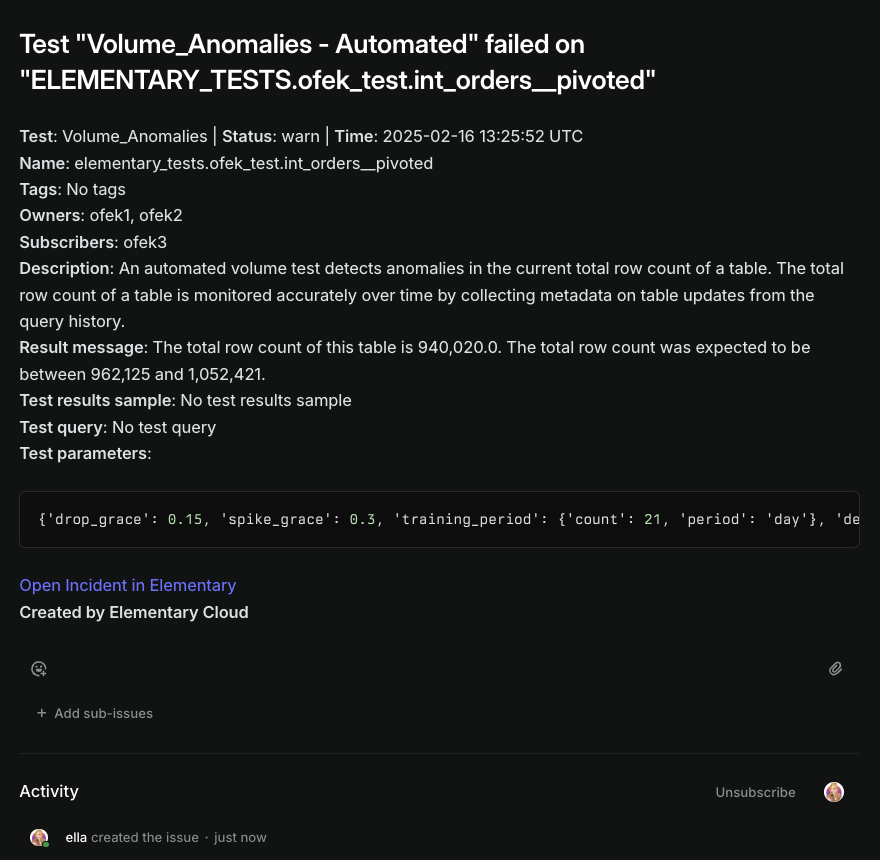
Elementary's Linear integration enables creating Linear tickets from incidents.
 ## How to connect Linear
1. Go to the `Environments` page on the sidebar.
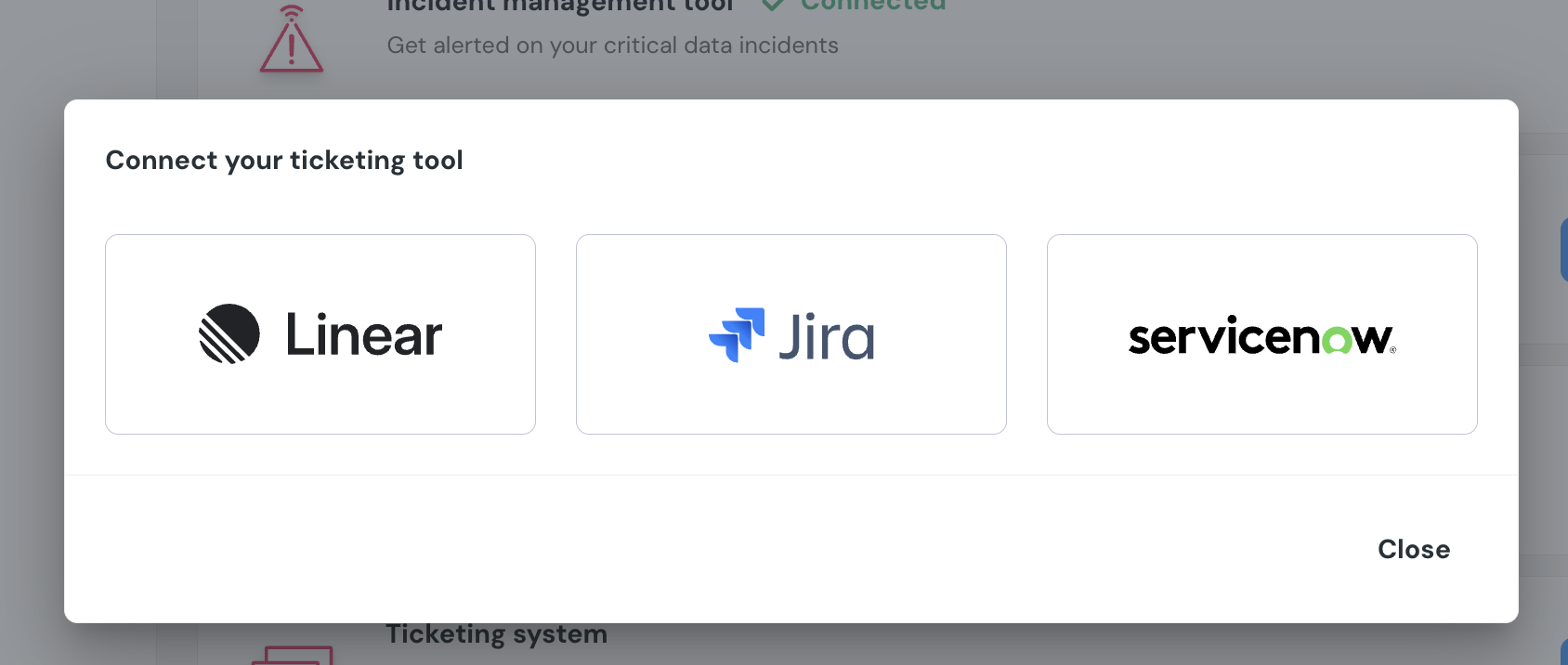
2. Select an environment and click connect on the `Connect ticketing system` card, and select `Linear`.
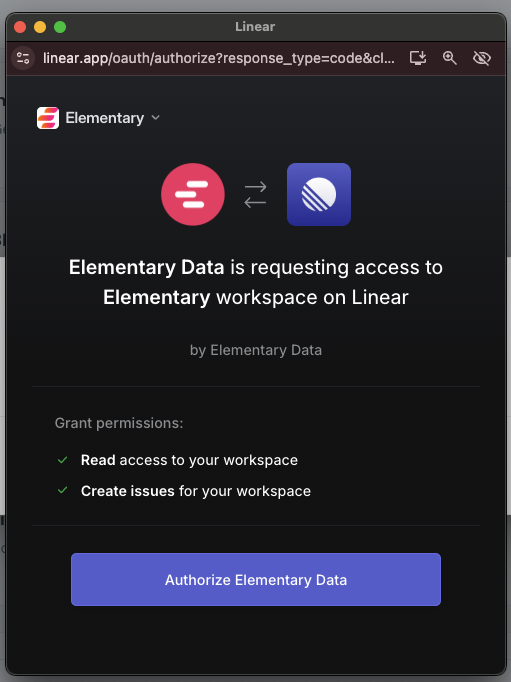
3. Authorize the Elementary app for your workspace. **This step may require a workspace admin approval.**
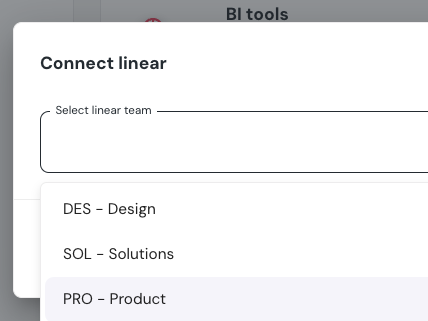
4. Select a default team for new tickets
5. Click `Save` to finish the setup
## How to connect Linear
1. Go to the `Environments` page on the sidebar.
2. Select an environment and click connect on the `Connect ticketing system` card, and select `Linear`.
3. Authorize the Elementary app for your workspace. **This step may require a workspace admin approval.**
4. Select a default team for new tickets
5. Click `Save` to finish the setup

 ## Creating Linear ticket from incidents
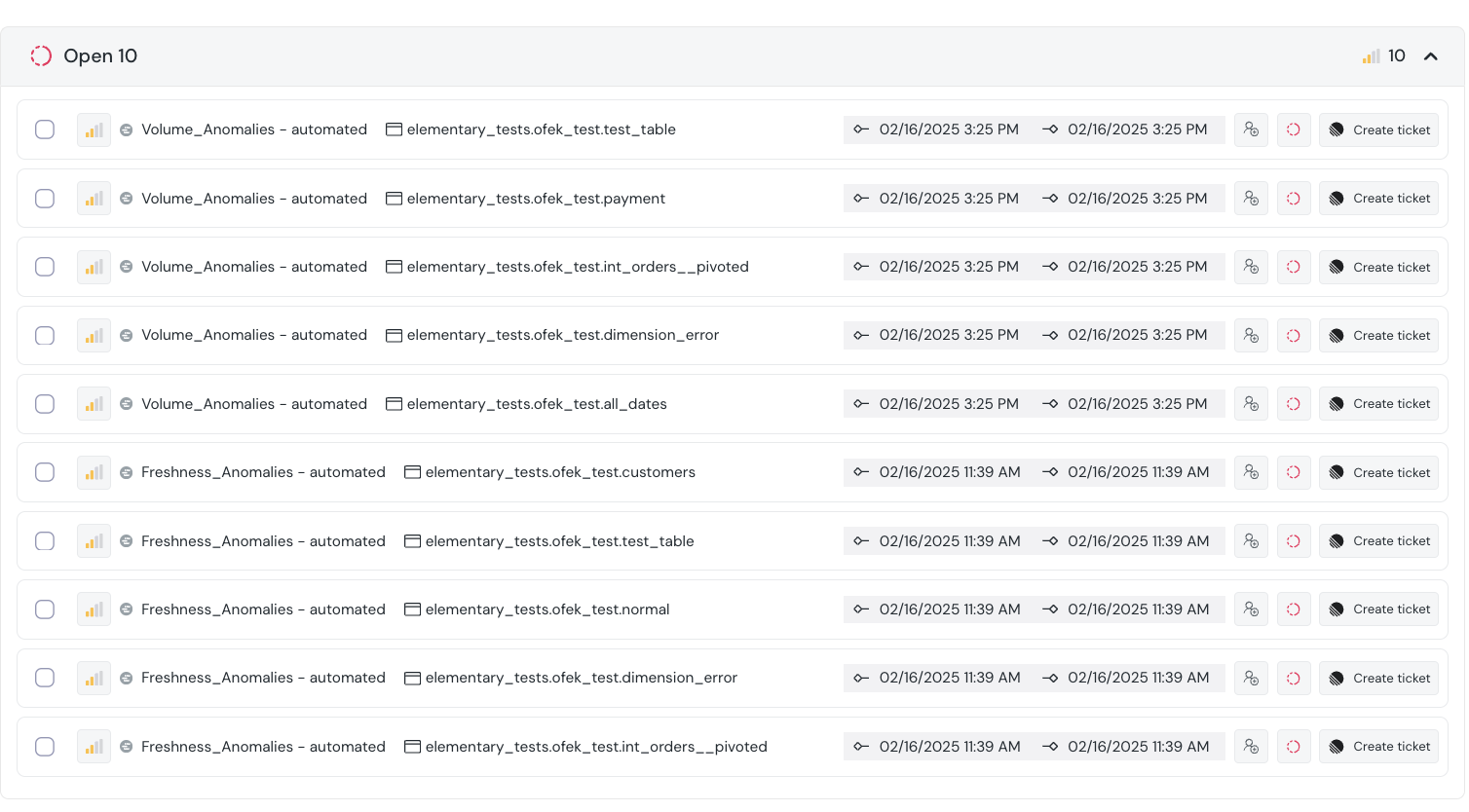
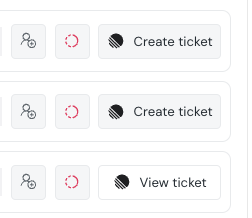
When an incident is created, you can create a Linear ticket from the incident page by simply clicking on "Create Linear Ticket".
The ticket will automatically be created in Linear, in the team you chose upon connecting Linear.
After the ticket is created you can see the Linear ticket link in the incident page.
The ticket will also contain a link to the incident in Elementary.
## Creating Linear ticket from incidents
When an incident is created, you can create a Linear ticket from the incident page by simply clicking on "Create Linear Ticket".
The ticket will automatically be created in Linear, in the team you chose upon connecting Linear.
After the ticket is created you can see the Linear ticket link in the incident page.
The ticket will also contain a link to the incident in Elementary.
 Note: Elementary will not update the ticket in Linear when the incident is resolved or changed in any way