

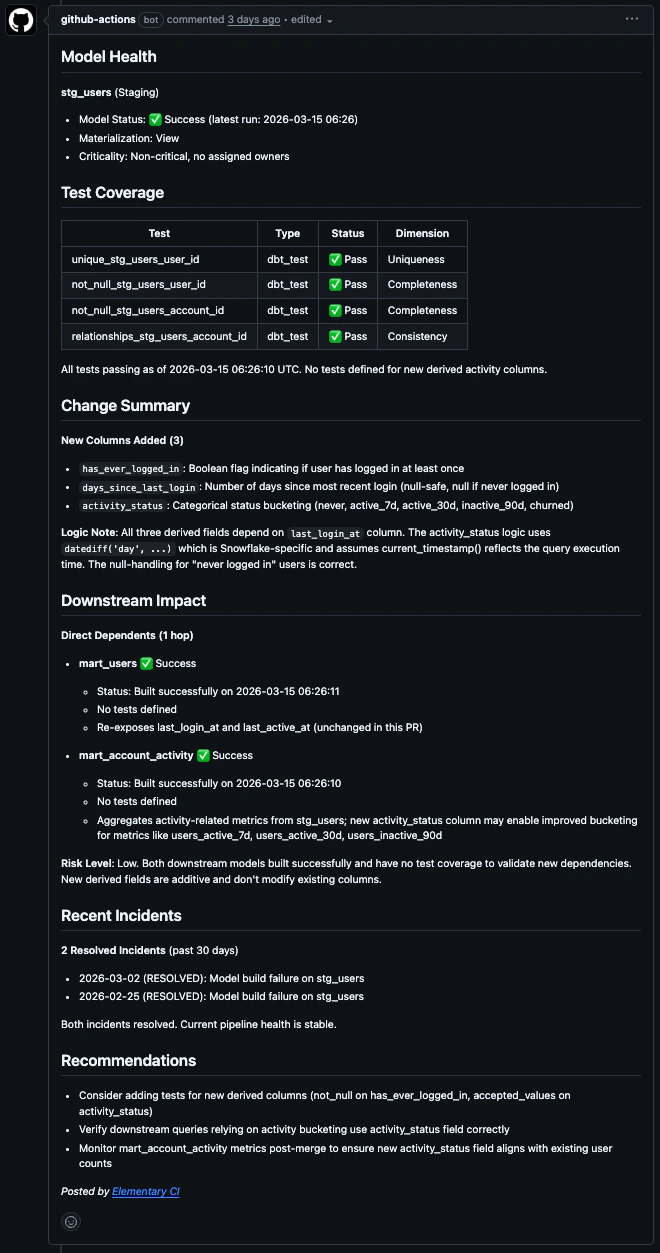
Elementary data quality review comment on a pull request
What the review includes
- Change analysis: flags NULL risks, type mismatches, and join changes that could alter row counts
- Performance & cost: SQL anti-pattern detection (SELECT *, cross joins, missing filters on large tables) with volume context
- Downstream blast radius: which models, pipelines, and dashboards depend on what’s changing, including column-level impact for renamed or removed columns
- Tests & incidents: pass/fail history for each changed model, active data quality incidents, and coverage gaps on new columns
- Risk summary: a plain-language assessment of whether it’s safe to merge, with prioritized recommendations
Where findings appear
Elementary posts inline comments itself, through your connected GitHub integration, so they need no extra token or workflow permission. Inline comments are available on GitHub pull requests.
How it works
When a PR is opened or updated:- A CI job sends the repository name and branch to Elementary’s API
- Elementary fetches the diff, runs static SQL analysis, and queries live data quality context for the changed models
- A structured Markdown summary comment is posted on the PR or MR
- On GitHub, findings that map to a changed line are also posted as inline review comments
Upgrading from v1
Inline review comments are what v2 adds: v1 posts the summary comment only. On GitHub, upgrading takes three edits to your workflow file.1
Bump the action to v2
Change
elementary-data/elementary-ci@v1 to elementary-data/elementary-ci@v2. Inline comments are on by default from there, so no new input is required.2
Remove the checkout step
Delete the
actions/checkout step. v2 does not read the repository from the runner, since Elementary fetches the diff server side.3
Trim the permissions block
contents: read is no longer needed. Keep pull-requests: write and issues: write for the summary comment.Setup
Prerequisites
- An Elementary Cloud account with a code repository connected
- An Elementary API key
GitHub Actions
1
Add the workflow file
Create
.github/workflows/elementary-review.yml in your dbt repository:No
actions/checkout step is needed. Elementary fetches the diff server side through your connected repository integration.2
Add a repository secret
Go to Settings > Secrets and variables > Actions in your GitHub repository and add:
The review only runs on PRs that touch model files. Other PRs are ignored.
Action inputs
Optional: specify environment
Optional: specify environment
If your repository is connected to multiple Elementary environments, add The environment ID is the UUID in your Elementary Cloud URL. For example, in
env-id to specify which one to use:https://app.elementary-data.com/169e9308-9a70-4200-b810-ad486cb42f3a/report/dashboard, the environment ID is 169e9308-9a70-4200-b810-ad486cb42f3a.If you don’t specify an env-id and the repository is connected to only one environment, it will be selected automatically. If connected to multiple, the review will return an error listing the available environment IDs.GitLab CI
1
Add the include to your .gitlab-ci.yml
allow_failure: true, so a failed review never blocks your pipeline.GitLab stays on
v1. Merge requests get the summary comment, without the inline review comments described above.2
Add CI/CD variables
Go to Settings > CI/CD > Variables and add:
To post the MR comment, the template uses one of two authentication methods:
CI_JOB_TOKEN(default): GitLab’s built-in job token, available automatically in every pipeline. Requires a project admin to enable Settings > CI/CD > Token Access > Allow CI/CD job tokens to access this project’s API.GITLAB_API_TOKEN(alternative): If this variable is set, it takes priority overCI_JOB_TOKEN. Use a Project Access Token withapiscope. This works without any admin settings change and is the easier option if you don’t have project admin access.
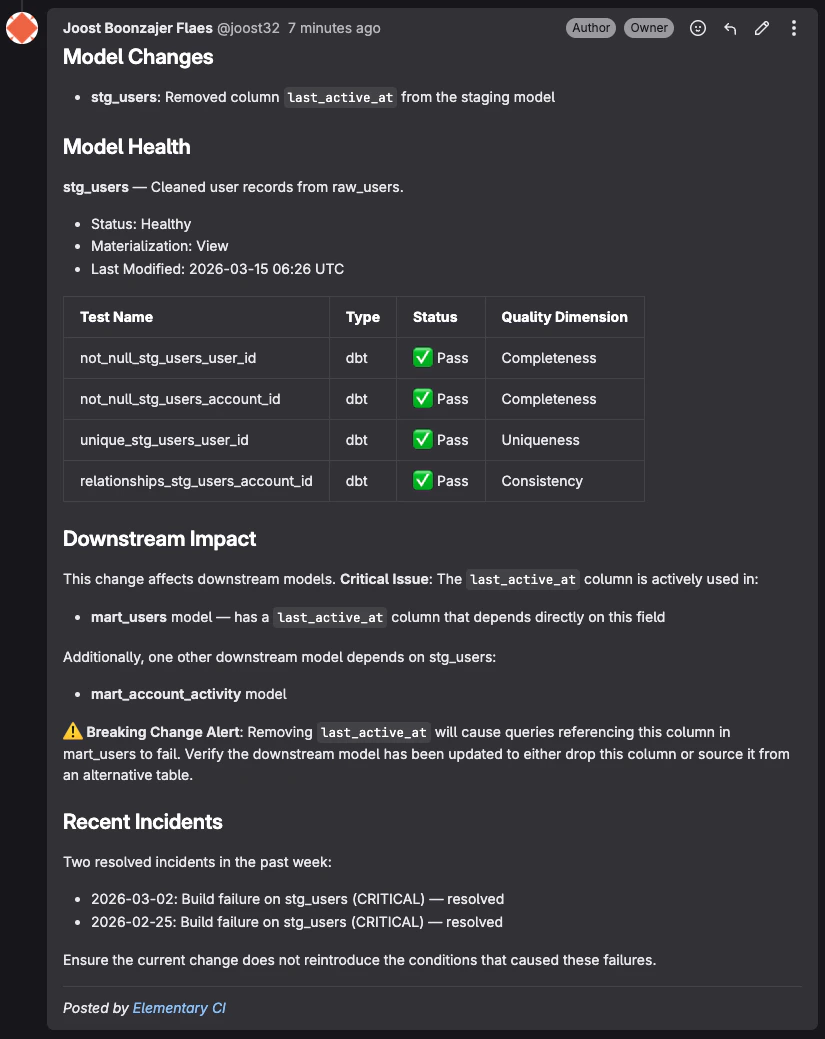
Elementary data quality review comment on a GitLab merge request
Limits
- 20 reviews per hour per Elementary account. Runs beyond that return a rate limit error and post no comment.
- 500 KB maximum diff size. Larger diffs are rejected, so split very large PRs.
- 5 minute review timeout. A review that runs past it returns a timeout error instead of a comment.
allow_failure: true, so none of these fail your pipeline. On GitHub Actions the step fails, so keep the job out of your required status checks if you do not want a failed review to block merging.
Troubleshooting
No summary comment appears after the job runs Make surepull-requests: write and issues: write are set under permissions in the workflow. The job posts the summary comment with the built-in GITHUB_TOKEN, and an explicit permissions block sets any unlisted scope to none, so omitting a required scope causes the step to fail.
The summary comment appears but no inline comments do
Check that post-inline-comments is not set to false, and that your GitHub integration is connected on the Environments page. Elementary posts inline comments through that integration rather than through the CI job. Findings that cannot be anchored to a line in the diff always stay in the summary comment, and inline comments are not available on GitLab.
The review says the repository is not connected
Go to the Environments page on the sidebar in Elementary Cloud and verify your repository is connected. The page is visible to admins only.
The review says the repository is connected to multiple environments
Add elementary-env-id to your workflow. The error message lists the available environment IDs.