

Usage in the Catalog
Open the Catalog and select the Metadata tab. Table assets include a Usage column with a usage indicator so you can compare relative activity at a glance.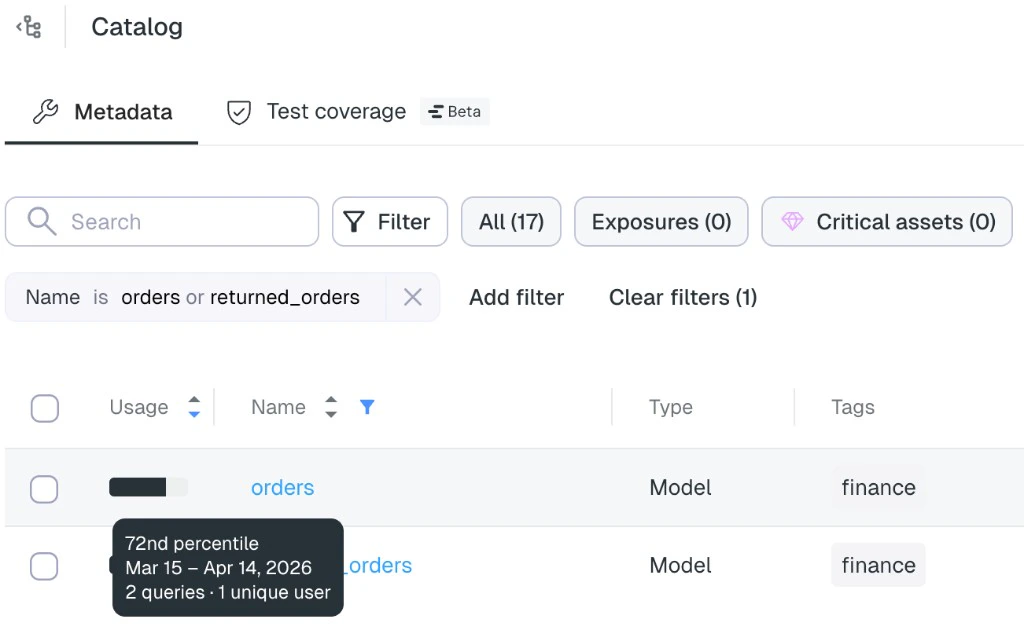
Tooltip details
Hover the usage indicator for a specific asset to open a tooltip with:- Percentile rank — How this table’s query volume ranks against every other table. For example, 72nd percentile means its query volume is greater than or equal to that of 72% of tables in your environment.
- Reporting period — The exact 30-day date range the metrics are based on (for example, March 15 – April 14, 2026).
- Query count — Total queries against the table in that period.
- Unique users — Distinct users who ran queries against the table in that period.
AI agents
The same usage signals are available as context to Elementary AI agents, so you can ask natural-language questions that depend on real consumption—for example, “Show me the top 5 most used tables.”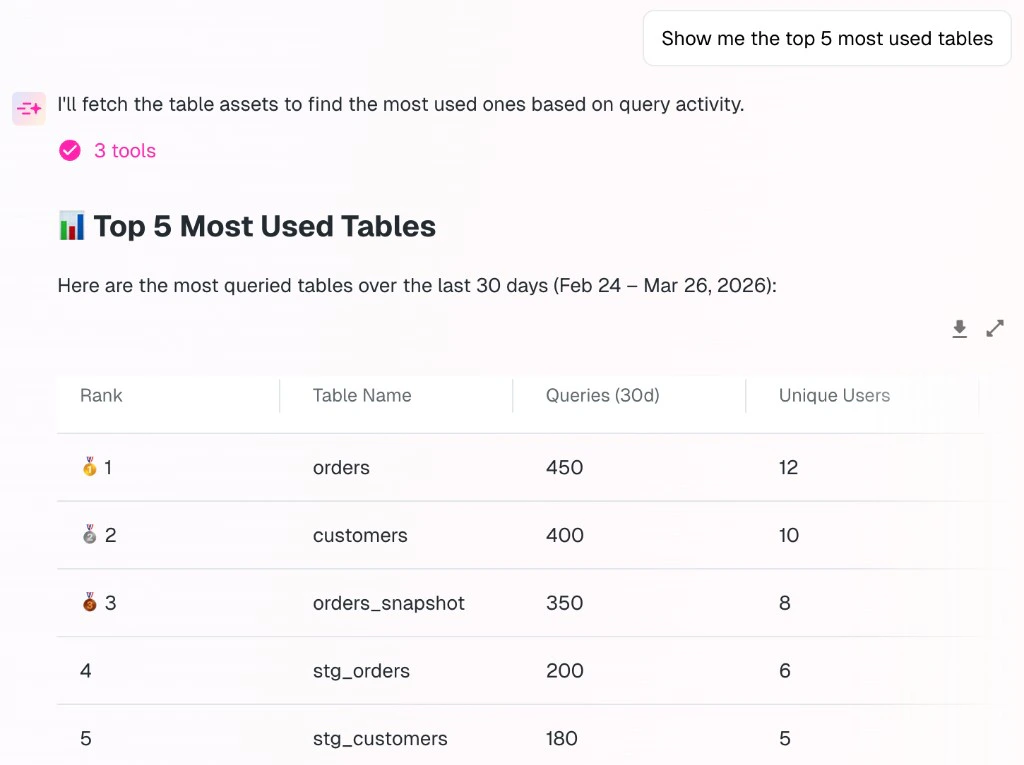
Related
- Data Catalog — Overview of catalog navigation, metadata editing, and collaboration workflows.
- AI agents — How Elementary’s agents use catalog and observability context.