

What an environment can contain
An environment is built from one or more asset sources. Each one tells Elementary which assets to sync. An asset source is either:- A dbt project — Elementary syncs models, sources, tests, and run results collected by the Elementary dbt package.
- A selection of warehouse databases and schemas — picked directly in the warehouse. Use this for tables and views built by ETL tools, orchestrators, or SQL scripts. Once synced, they appear in the side tree under the DWH view, alongside your dbt models and sources.
All asset sources in an environment currently share a single data warehouse connection. Support for several warehouse connections in one environment is coming.
Use cases
Separate environments
Stacks you keep apart, each with its own lineage, dashboard, alerts, and health history:
- Development, staging and production targets
- Anonymized and non-anonymized copies of the same data
- Separate sites, regions, or tenants
- Separate products or business units
One environment
One production pipeline spanning several projects or tools, in a single lineage graph:
- Layered architectures (bronze, silver, gold)
- Domain-based modeling (finance, marketing, operations)
- Multiple dbt projects built on the same raw data
- Pipelines stored in separate repositories
- Tables loaded by ETL tools or scripts alongside dbt models
Separate environments
Give each stack its own environment. Keeping them apart in Elementary mirrors how they are kept apart in your warehouse, so health, incidents, and lineage stay attributable to the right stack. Each environment is managed independently, and you monitor all of them from a single interface.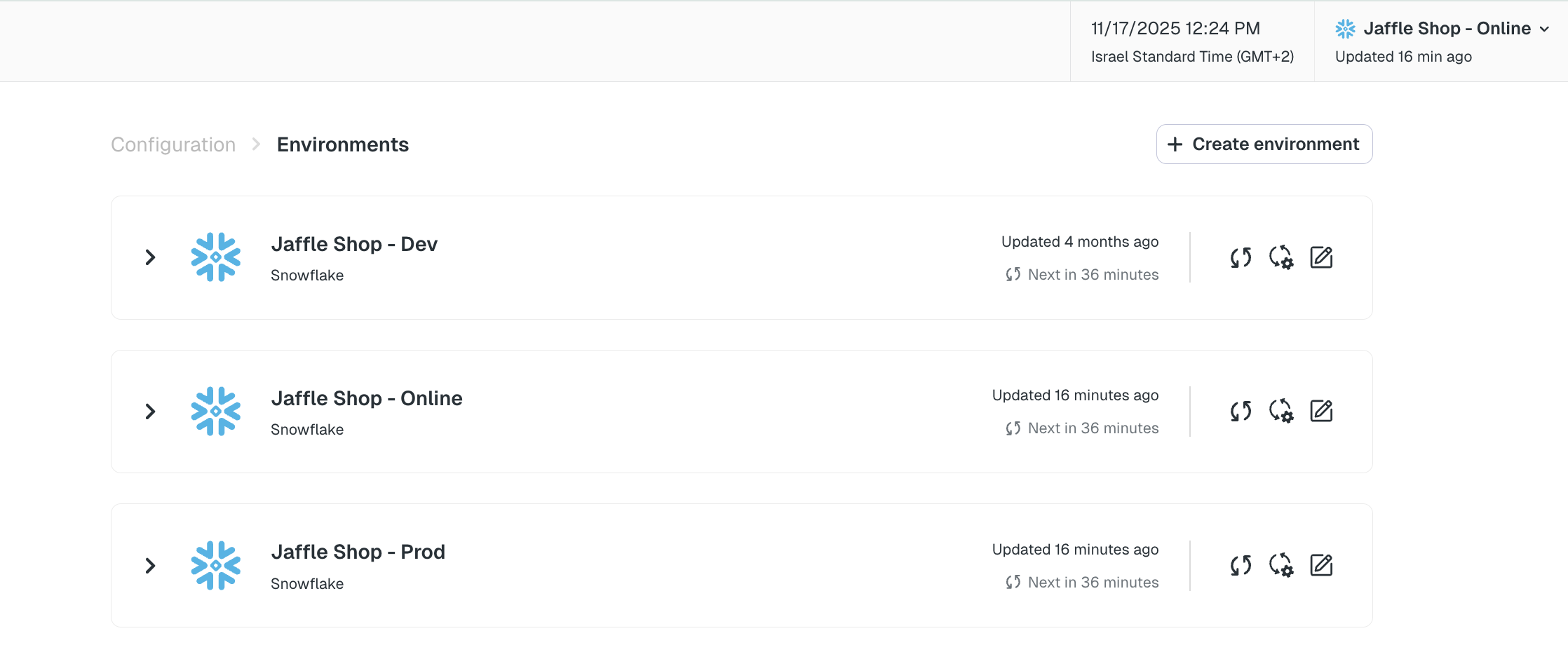
Separate environments listed in Account settings
One environment across several asset sources
Elementary identifies assets by their full relation name, so lineage spans every asset source in the environment. Each dbt project keeps its own models, sources, repository, and Elementary schema, and Elementary handles the unification at the environment level. Where the same relation is a model in one project and a source in another, lineage shows both nodes with a link between them, so the dependency stays explicit and you can trace issues further upstream.Each dbt project added to an environment must use a different Elementary schema, and the Elementary dbt package must be installed in each project. Warehouse asset sources work straight from warehouse metadata, so they need neither.
Setting up an environment
- Go to Account settings > Environments and click Create environment.
- Give the environment a name.
- Connect the data warehouse the environment reads from.
- Click Continue to reach Environment content, then Add asset source.
- Choose the asset source type:
- dbt project — uses dbt models, tests and run results. Requires the Elementary dbt package.
- Warehouse schemas — monitors tables directly in your warehouse.
- Name the asset source. For warehouse schemas, give the database name and, optionally, the schemas within it. Leave the schemas empty to monitor every schema in that database, and use Add database to cover more than one.
- Click Save changes. Elementary begins syncing, and a backfill collects historical metadata so monitors have a baseline.
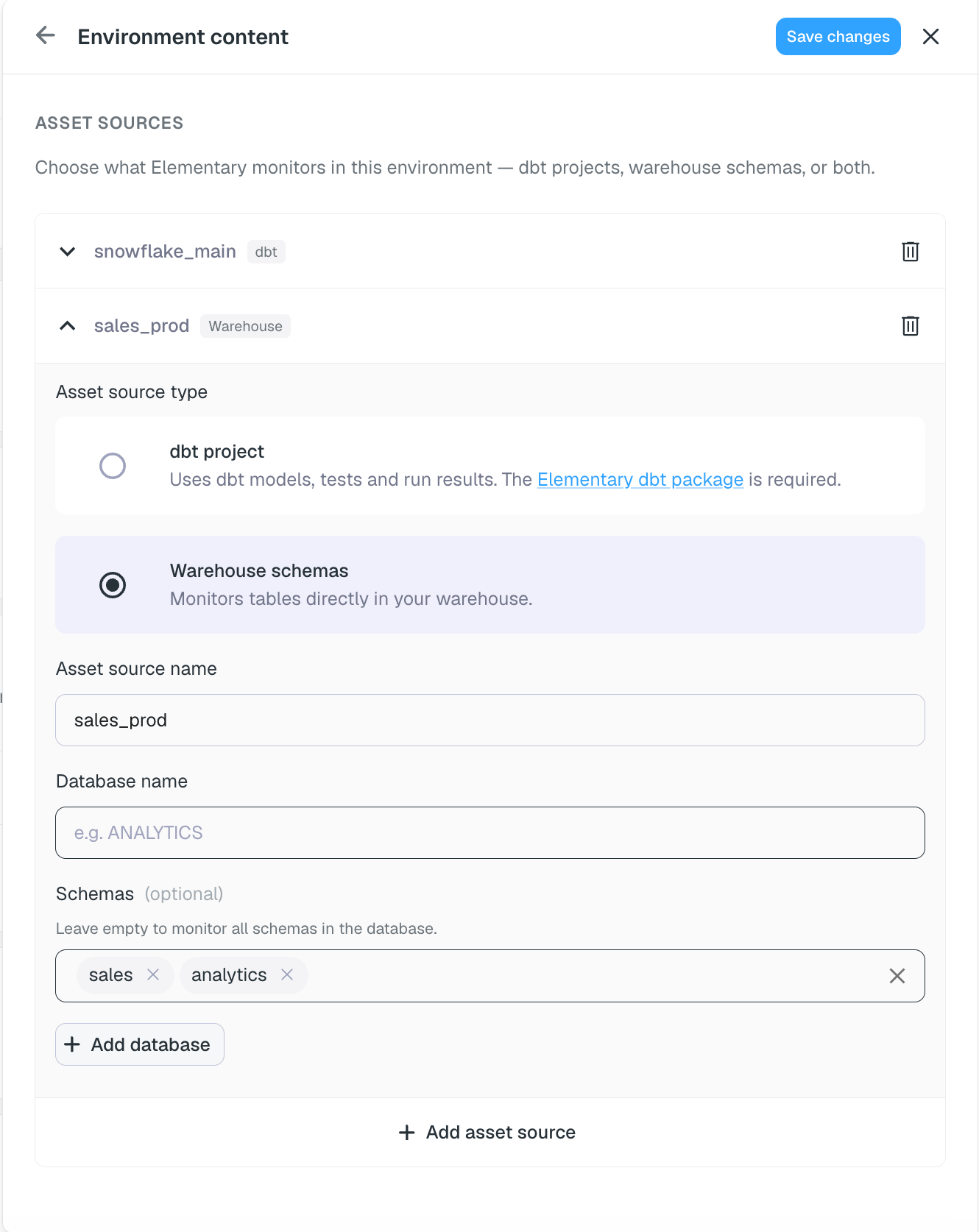
Adding a warehouse schemas asset source in Environment content
Managing an environment
Sync scheduling
Control how often an environment refreshes, including webhook-triggered syncs.
Dev / prod configuration
Separate development and production monitoring.