

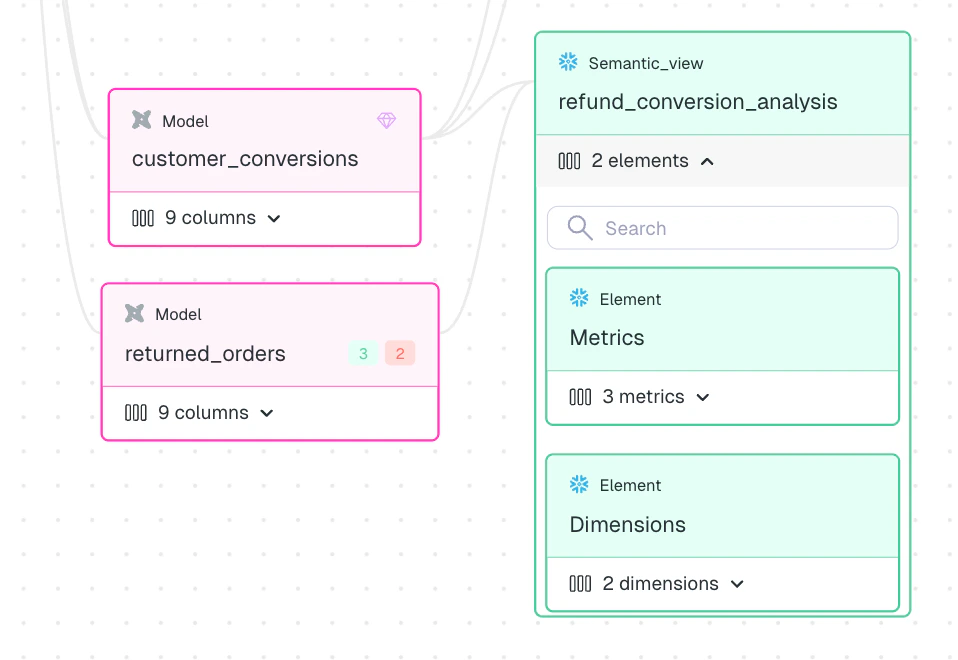
Snowflake Semantic Views in the Elementary lineage graph
What Elementary surfaces
For each Snowflake Semantic View, Elementary exposes:- Metrics, dimensions, and facts — listed in a dedicated semantic elements table on the asset detail page.
- Asset-level lineage — the semantic view is connected to the physical tables it depends on, so you can trace data issues upstream and assess downstream impact.
- Column-level lineage — individual metrics, dimensions, and facts are traced back to the specific columns in the underlying physical tables.
How it works
Once Elementary is connected to your Snowflake environment, semantic views are discovered automatically on each sync. No manual configuration is required. Elementary reads semantic view definitions directly from Snowflake’s account usage, extracting the structure of each view and resolving lineage to the physical tables it depends on.Semantic layer support is currently available for Snowflake only. Support for additional platforms (dbt Semantic Layer, Cube, etc.) is planned.
Prerequisites
- Snowflake connection configured in your Elementary environment. See Snowflake setup.
ACCOUNT_USAGEprivilege granted to the Elementary Snowflake user.