

Jobs information
Elementary automatically collects jobs data from dbt Cloud, includingjob run url and job id. These are presented in the lineage node info tab.
To collect additional job info such as job name, see the collect job data guide.
Connect dbt Cloud to the agent
Connect dbt Cloud to Elementary’s agent so it has complete context when triaging issues. The agent can then pull dbt Cloud run and job context directly through its MCP tools, so root cause analysis reaches across your transformation layer. Go to Account → Agent Settings → MCP Connections, add a dbt Cloud connection, and paste your dbt Cloud MCP server URL and a service token. Tokens are stored encrypted.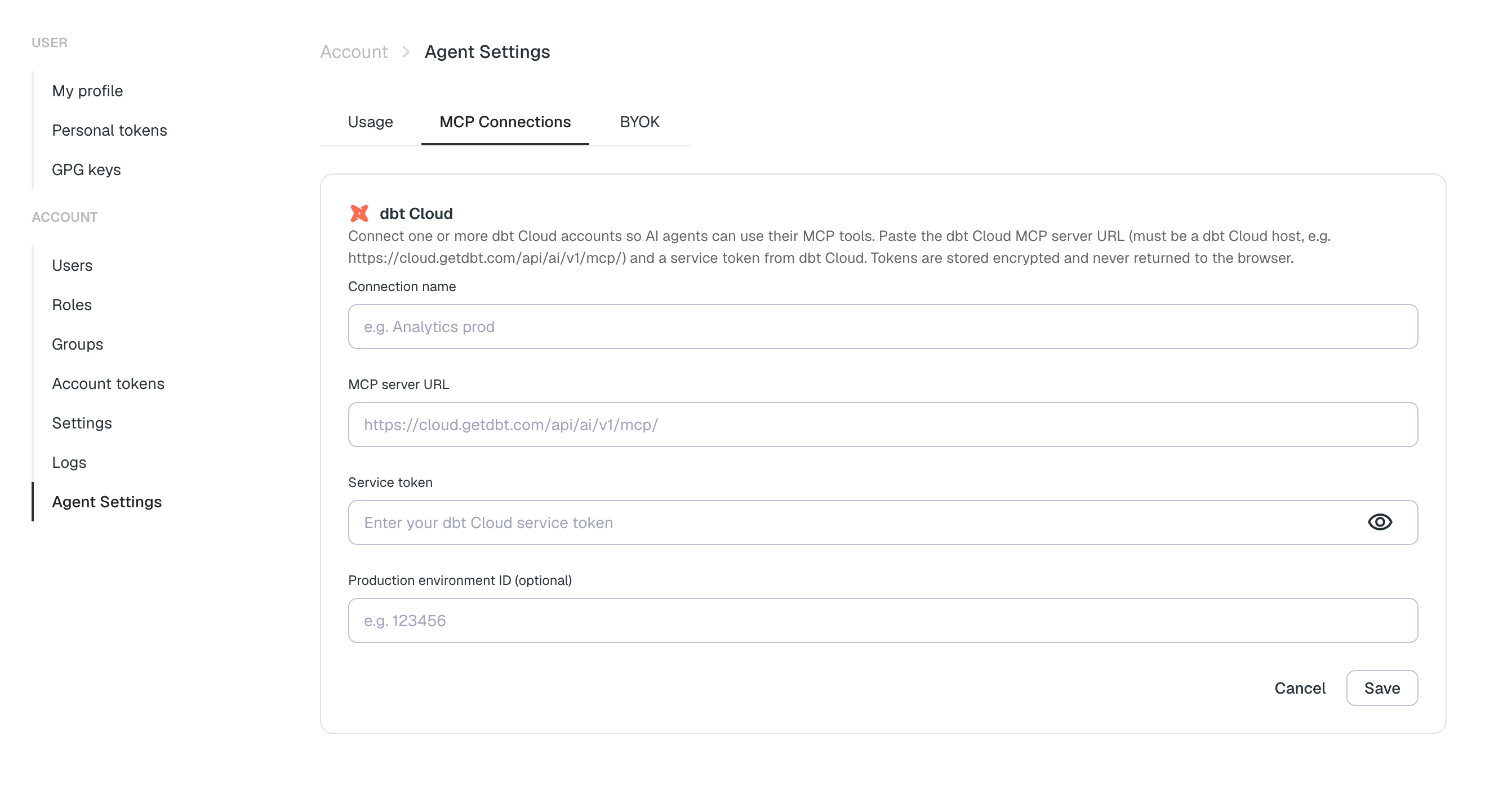
Syncs schedule
For near-real-time results, it is recommended to change the sync configuration from the default hourly syncs to webhook triggered syncs.Setup guides
Sync scheduling
Configure webhook-triggered syncs for near-real-time results.
Collect job data
Collect additional job metadata like job name from dbt Cloud.
Dev / prod configuration
Set up separate environments for development and production.
Multiple environments
How environments group assets, and how to add this project to one.