Elementary aims to meet business users where they live, so we believe it’s important to allow anyone who uses data to
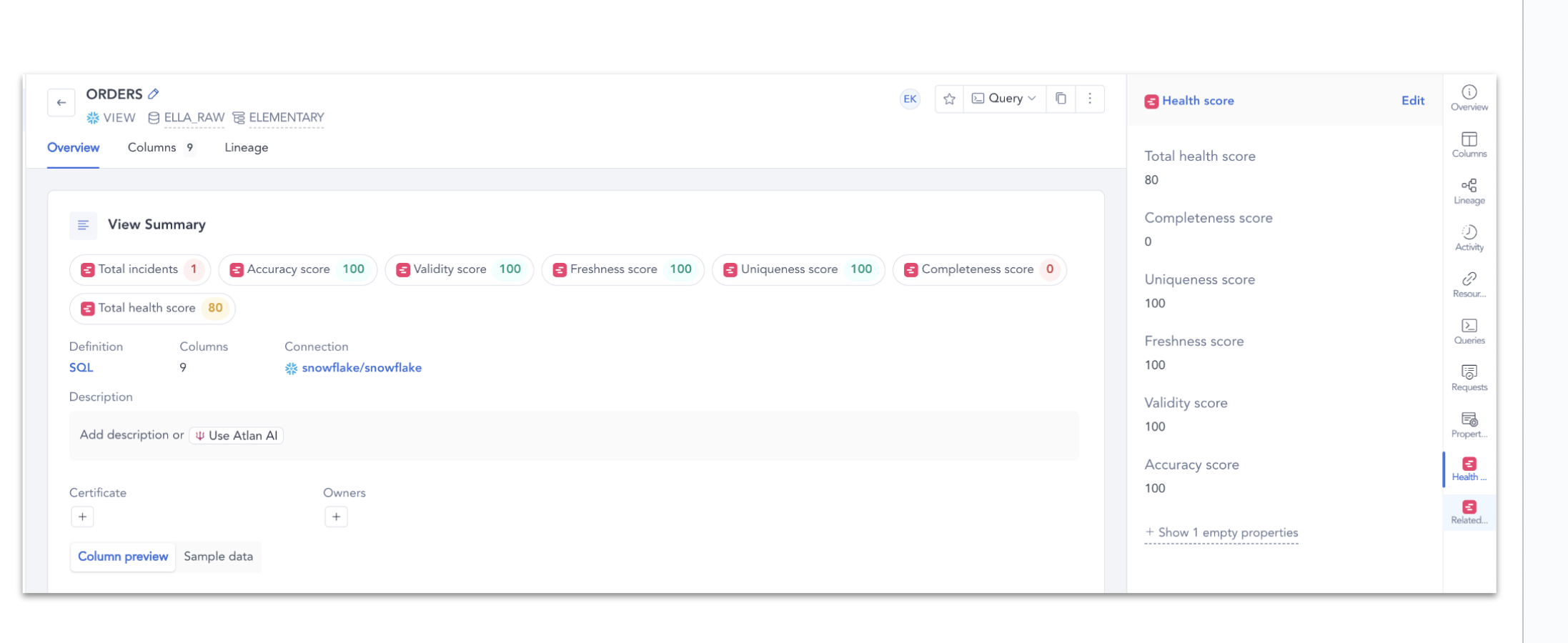
know whether the data is healthy quickly, easily and without any technical knowledge required. This is why we integrated with Atlan.The integration works by pushing key insights to Atlan assets as custom metadata.
This metadata includes data health scores and open incidents, providing visibility into the quality and status of your
data.
Connecting Atlan requires permission to edit integrations in Elementary.
1
Create an Atlan API token
In Atlan, create a persona (or reuse one) and generate an API token for Elementary.Grant that persona:
Assets: Read (search)
Assets: Update
Governance: Update custom metadata values
Permission to create and update badges
Without write access to custom metadata and badges, the connection can succeed and the export will still fail.
2
Add the connection in Elementary
Go to Settings → Environments, select the environment, and click Connect on the Data catalog card.
Data catalog integration in environment settings
In Connect Atlan, paste the Atlan base URL (for example https://your-company.atlan.com) and API token. Click Test connection, then Connect.Each environment can have one Atlan connection.
To replace an expired token, open Edit Atlan connection, paste the new token, test, and save. Disconnecting is not required.If you install Elementary from the Atlan marketplace, generate an account token and use that in Atlan. The token is shown once; revoke or rotate it from the same page.