

Generate your anomaly test with Elementary AI
Let our Slack chatbot create the anomaly test you need.
- Default: 0
- Relevant tests: Anomaly detection tests with
timestamp_column
How it works?
Thedetection_delay param only works for tests that have timestamp_column configuration.
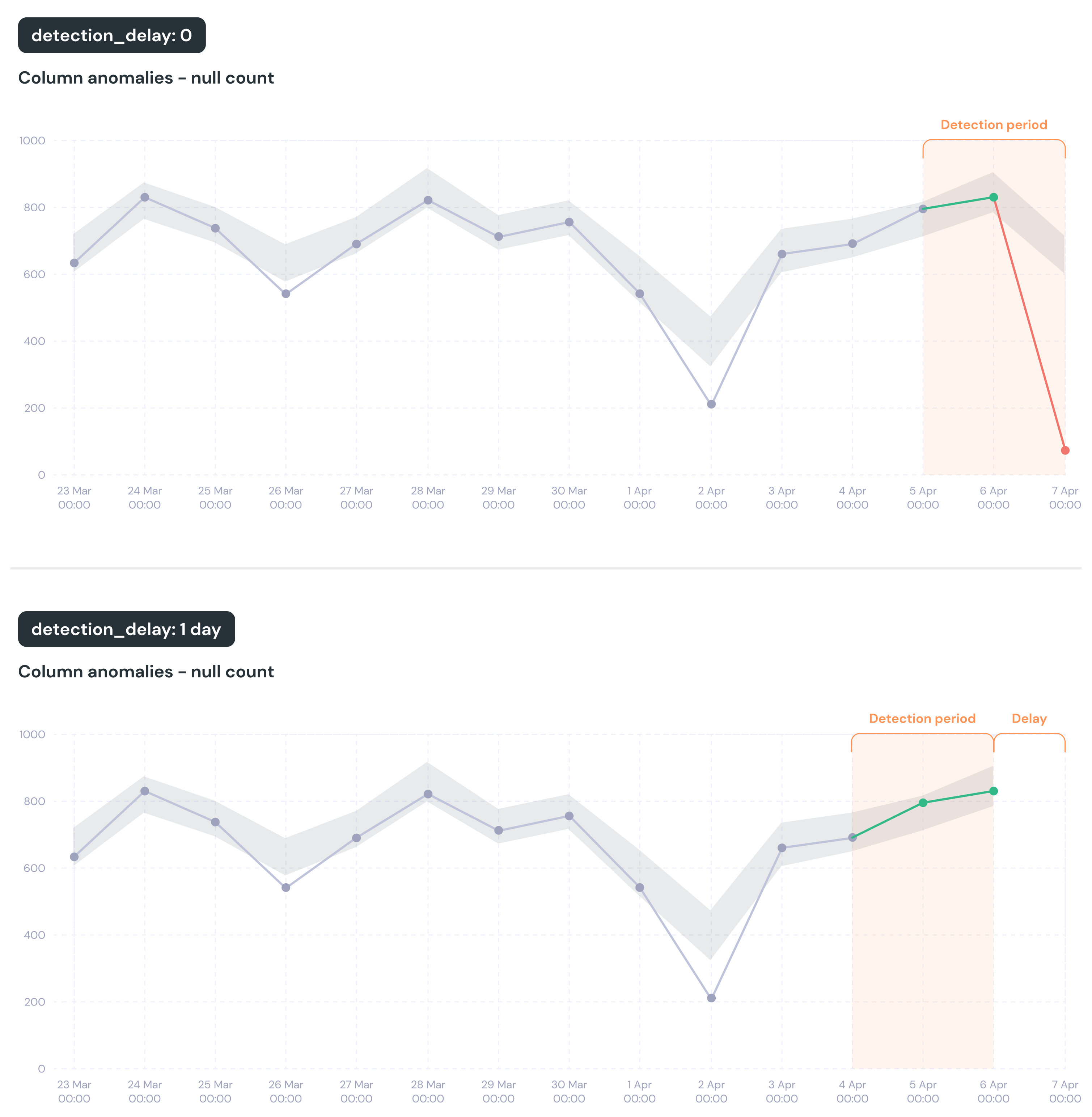
It does not affect the other duration parameters, like detection_period or training_period — it moves the whole tested window into the past instead of making it shorter.
You don’t need a delay to avoid testing a half-finished day
Elementary only ever tests finished time buckets. The newest one it looks at is the last bucket that had already ended when dbt started, minus any delay. Your job does not need to run at midnight for this to hold. With daily buckets, the newest day tested is always yesterday, whether dbt starts at 00:30, 02:00 or 23:00 — today’s partial data is never tested, without setting anything. What a delay is really for is data that shows up late. If yesterday’s load does not finish until 04:00 but your tests run at 02:00, yesterday looks finished on the calendar but is still missing rows in the warehouse, and the test sees a drop. A delay also only moves in whole buckets, so a small delay is not a small change. Daily buckets, dbt running at 02:00:
A four-hour delay pushes the cutoff back past midnight, so it costs you a whole day — the same as asking for one.
Time buckets are built from calendar dates, but the cutoff for “how recent” comes from when dbt started running, and dbt uses UTC. If your timestamp column holds local time rather than UTC, the newest day can get tested before that day has actually ended where your data lives. Check which day your test is really looking at, and add a delay if it is testing too early.