

Log Types
- User Activity Logs - Track changes made by users across the system
- System Logs - Track system-level events and operations
How to Access Logs
Once enabled for your account, access the logs: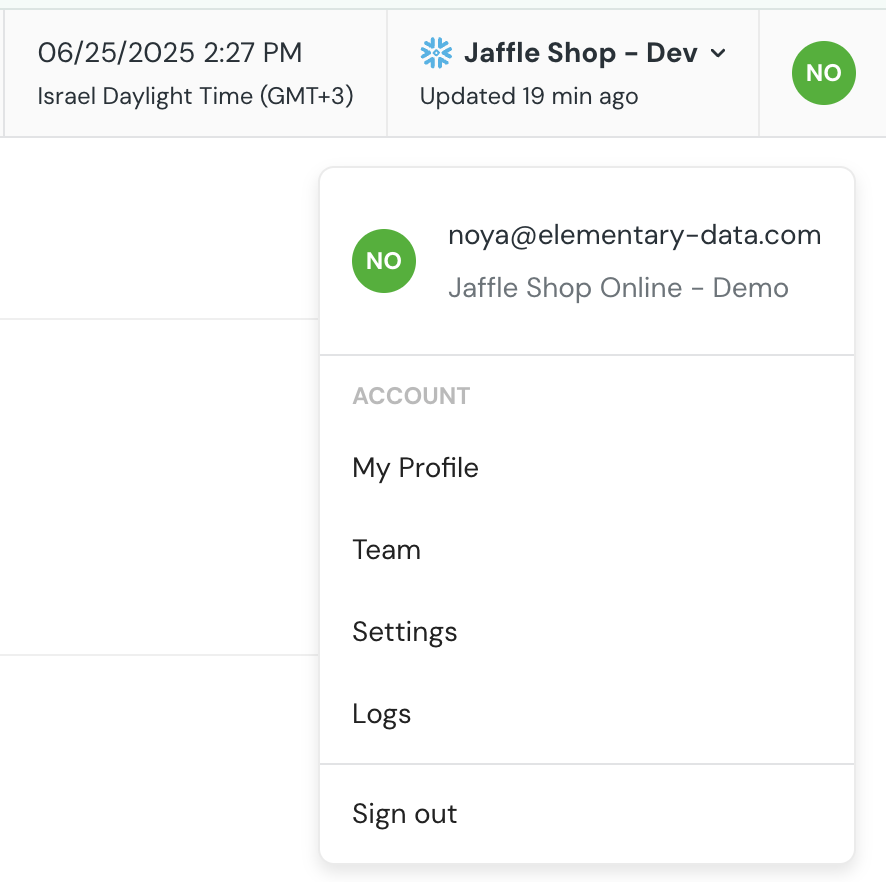
- Click on your account name in the top-right corner of the UI
- Open the dropdown menu
- Select Logs
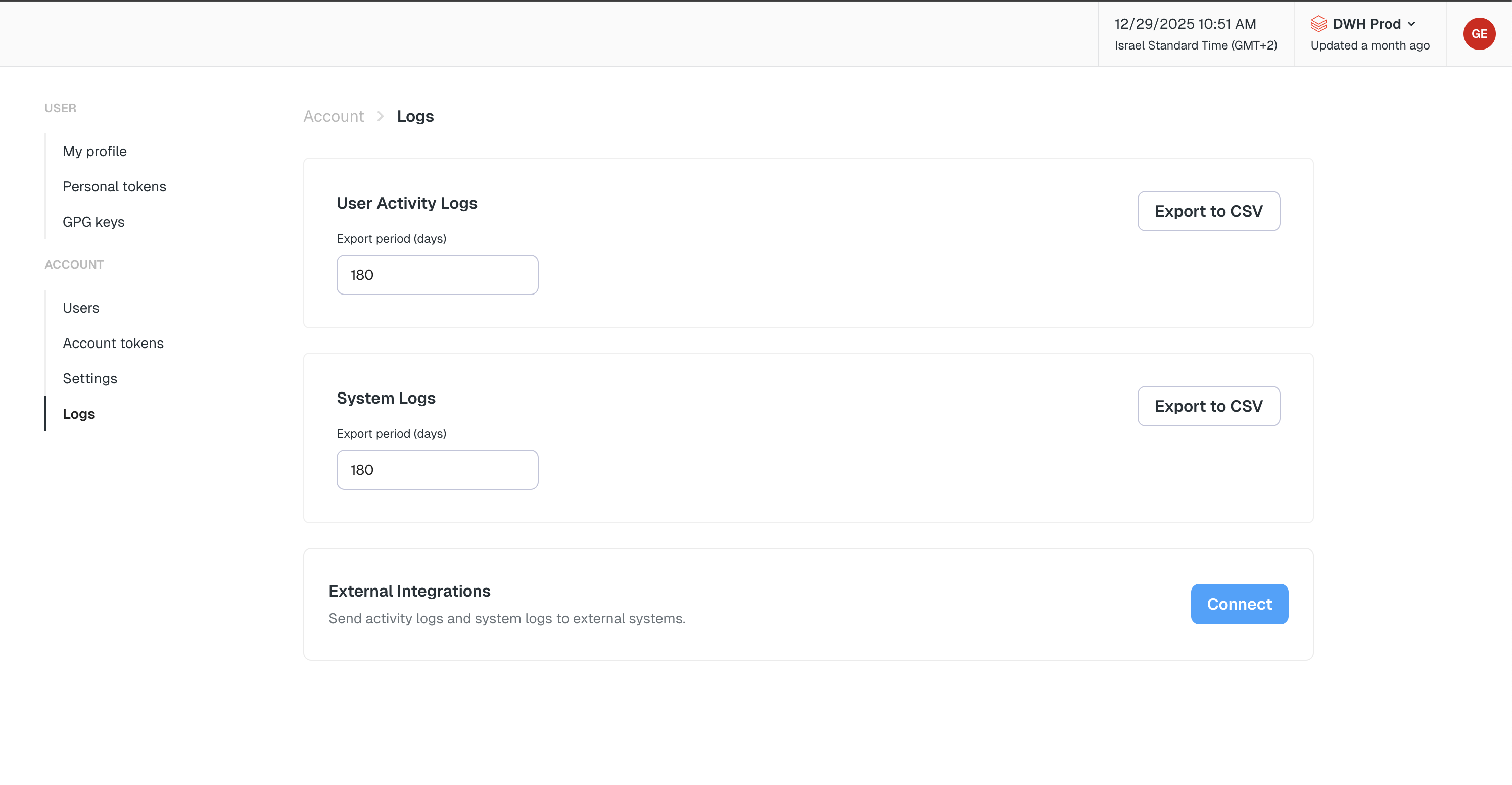
- Choose User Activity Logs or System Logs from the log type selector
- Select the number of days to look back
- Click Export to download the log as a CSV file
Stream Logs to External Services
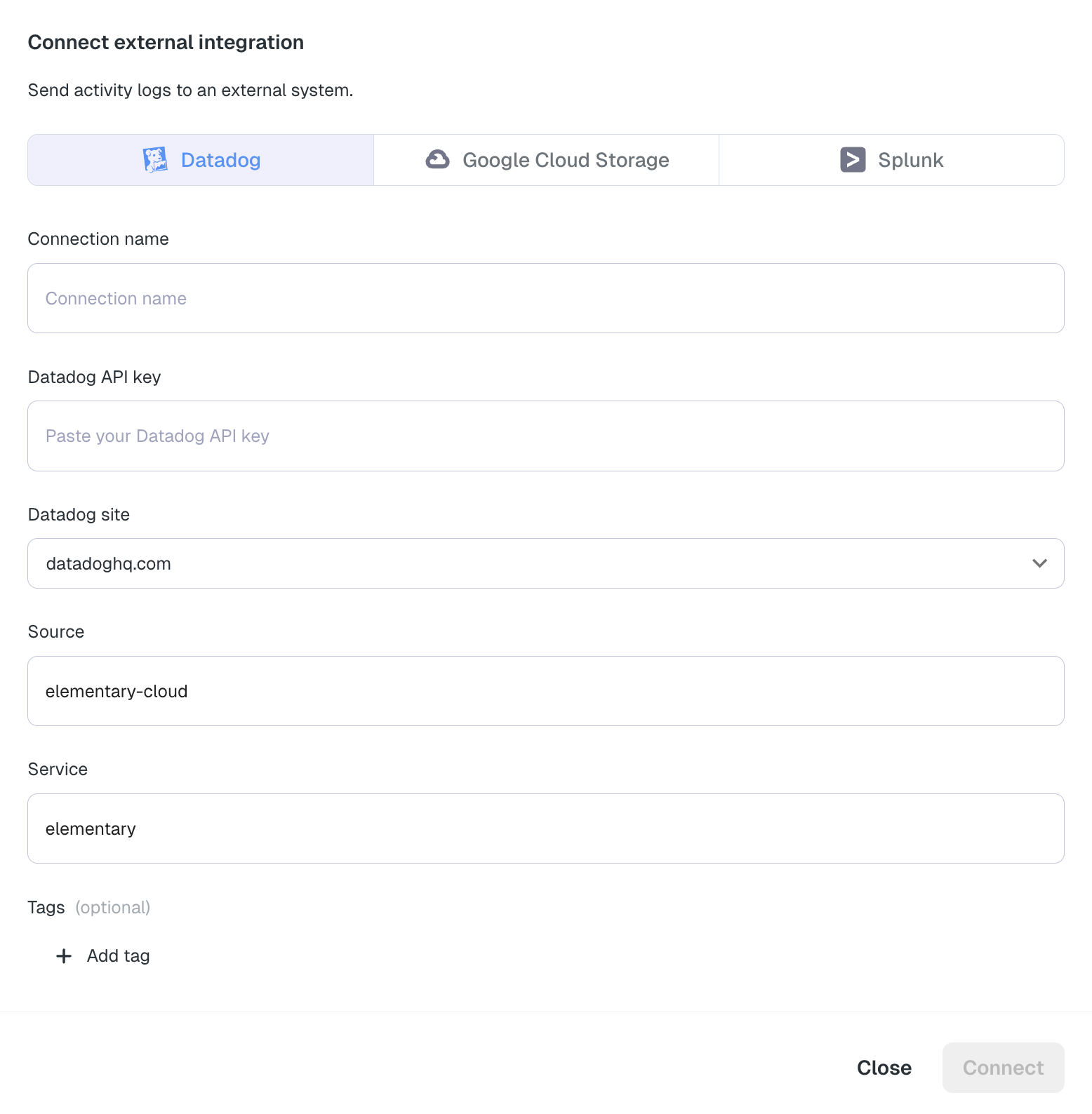
In addition to exporting logs as CSV files, you can stream logs in real-time to external log management services for centralized monitoring, analysis, and long-term storage.Available Integrations
- Datadog - Stream logs to Datadog for centralized log management, monitoring, and alerting
- Splunk - Stream logs to Splunk via HTTP Event Collector (HEC) for centralized log management and analysis
- Google Cloud Storage (GCS) - Stream logs to GCS buckets for long-term storage and integration with BigQuery and other Google Cloud services
Log Scope
Each integration can be configured to receive a subset of logs:- All logs — account-level events plus every environment.
- Account-level only — only events that aren’t tied to a specific environment (e.g. user logins, role changes).
- Specific environment — only events from the selected environment.