Prerequisites
You need an incident.io account with access to create Alert Sources.Create an HTTP Alert Source in incident.io
Before connecting Elementary, you need to create an HTTP Alert Source in incident.io:- In incident.io, go to Alerts → Configuration → Alert Sources.
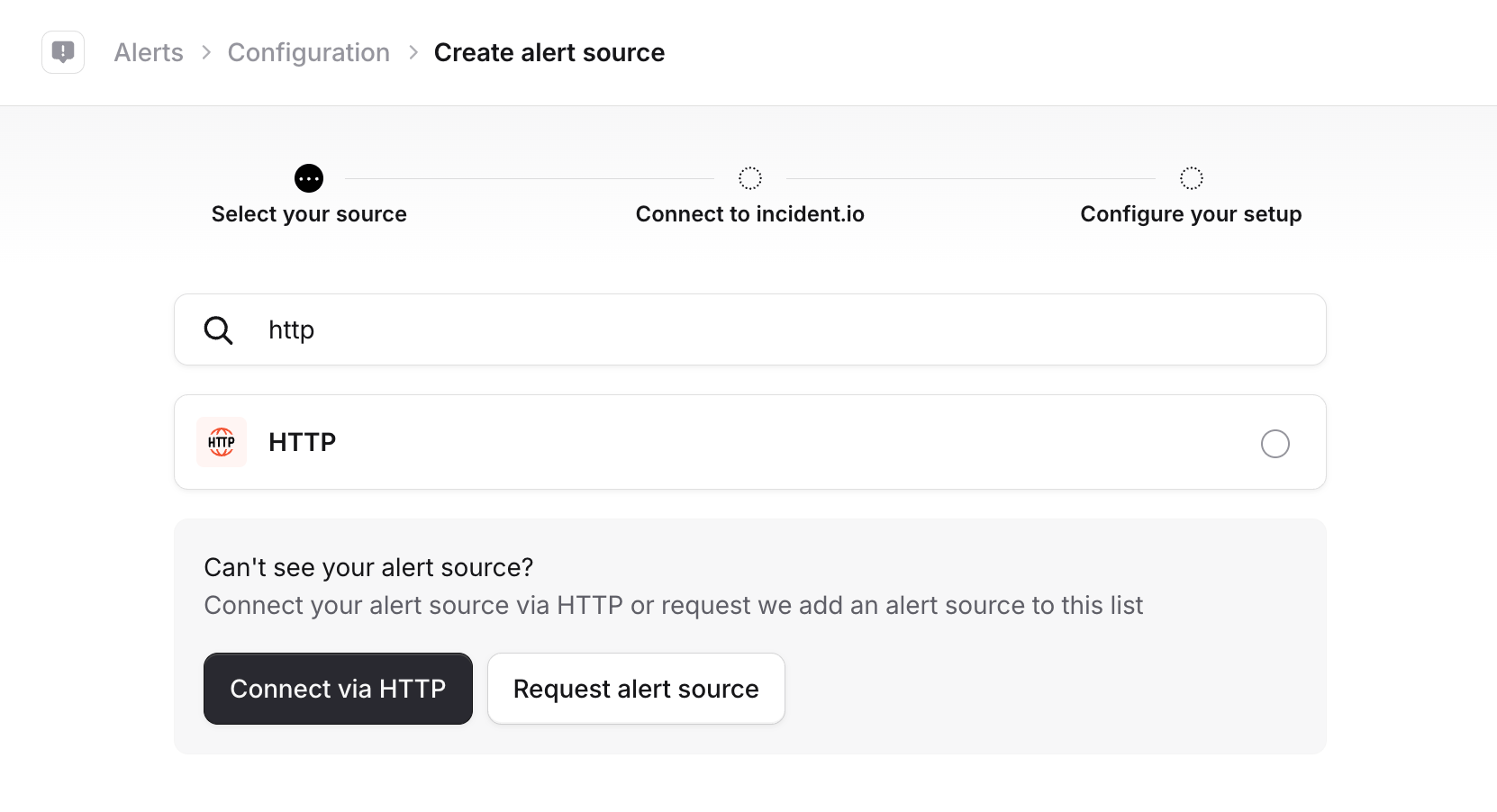
- Click Create alert source, search for HTTP, and select it.
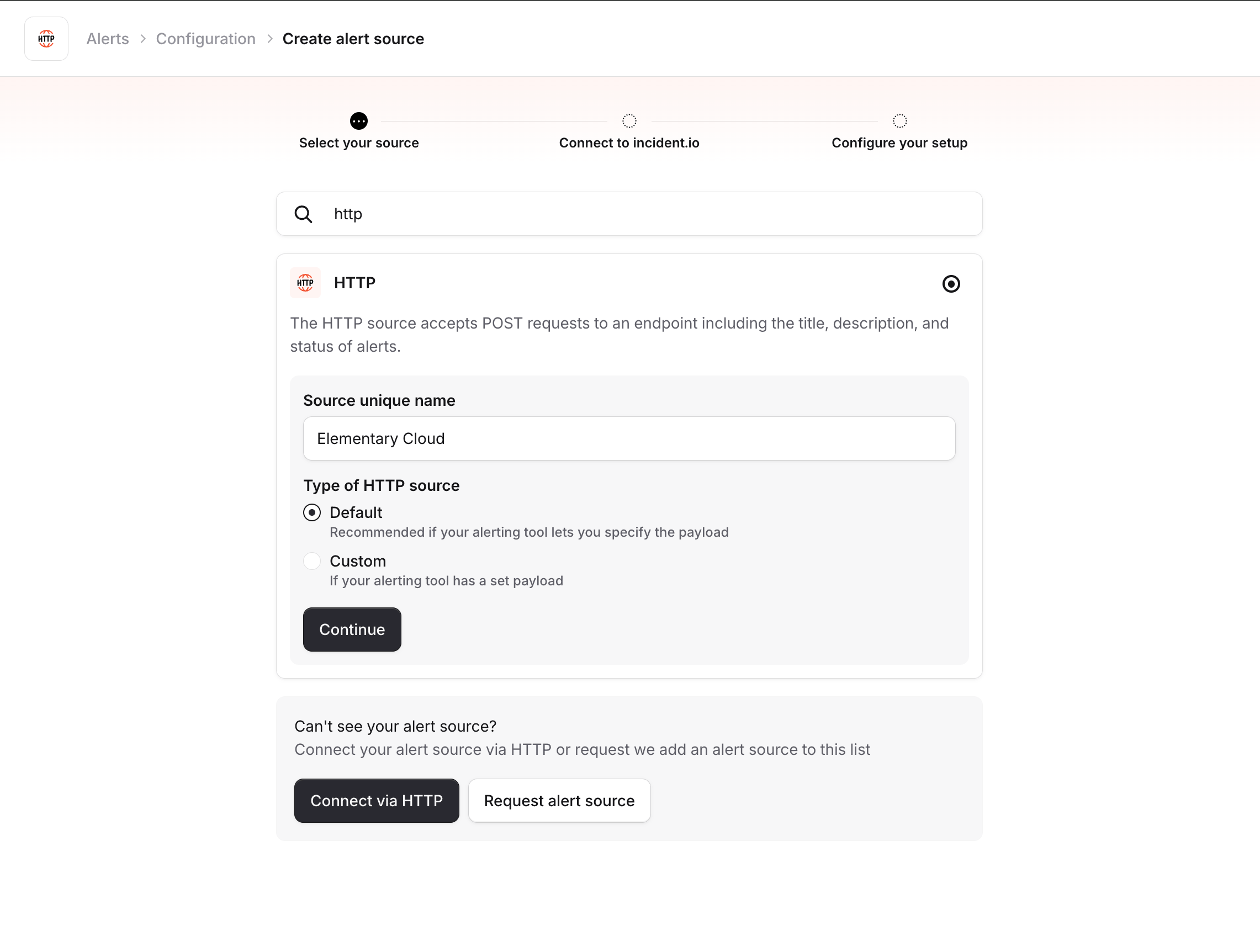
- Give the alert source a name (e.g. “Elementary Cloud”), select Default as the type, and click Continue.
- On the connection details page, you will see the URL and authentication headers. You will need the alert source config ID (from the URL) and the API token (from the Authorization header) when connecting in Elementary. Keep this page open — you will come back to it after sending a test alert.
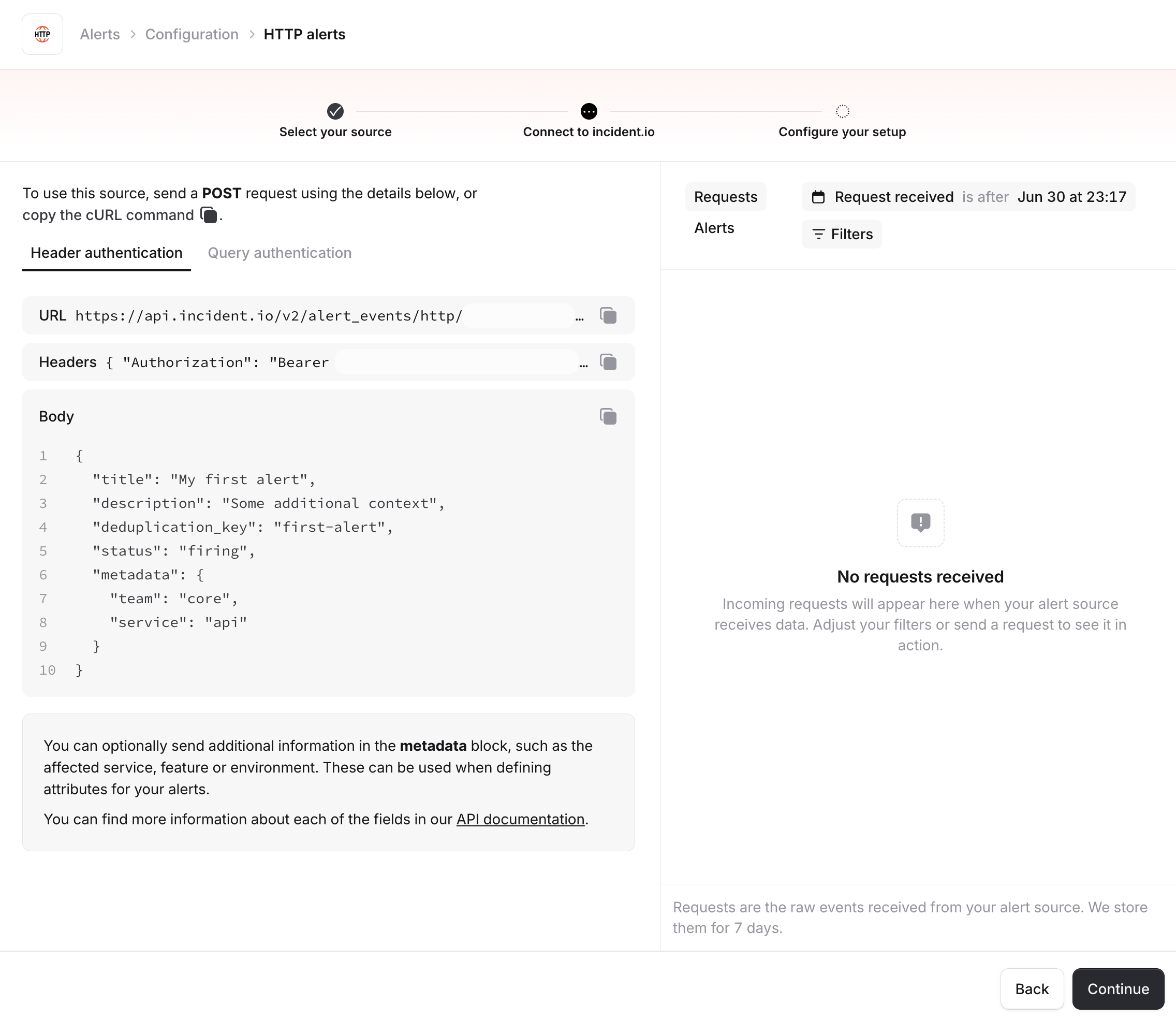
The API token is a secret. Keep it secure and do not share it publicly.
Connect incident.io in Elementary
- Go to the Environments page on the sidebar.
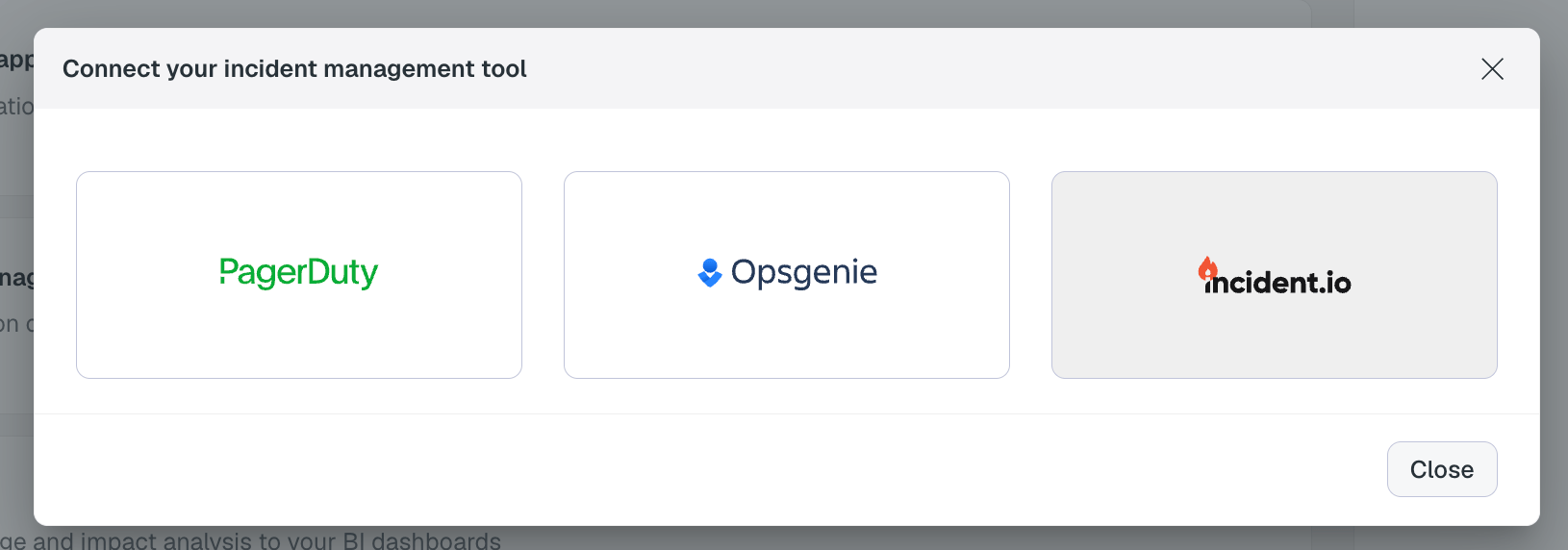
- Select an environment and click connect on the Connect incident management tool card, and select incident.io.
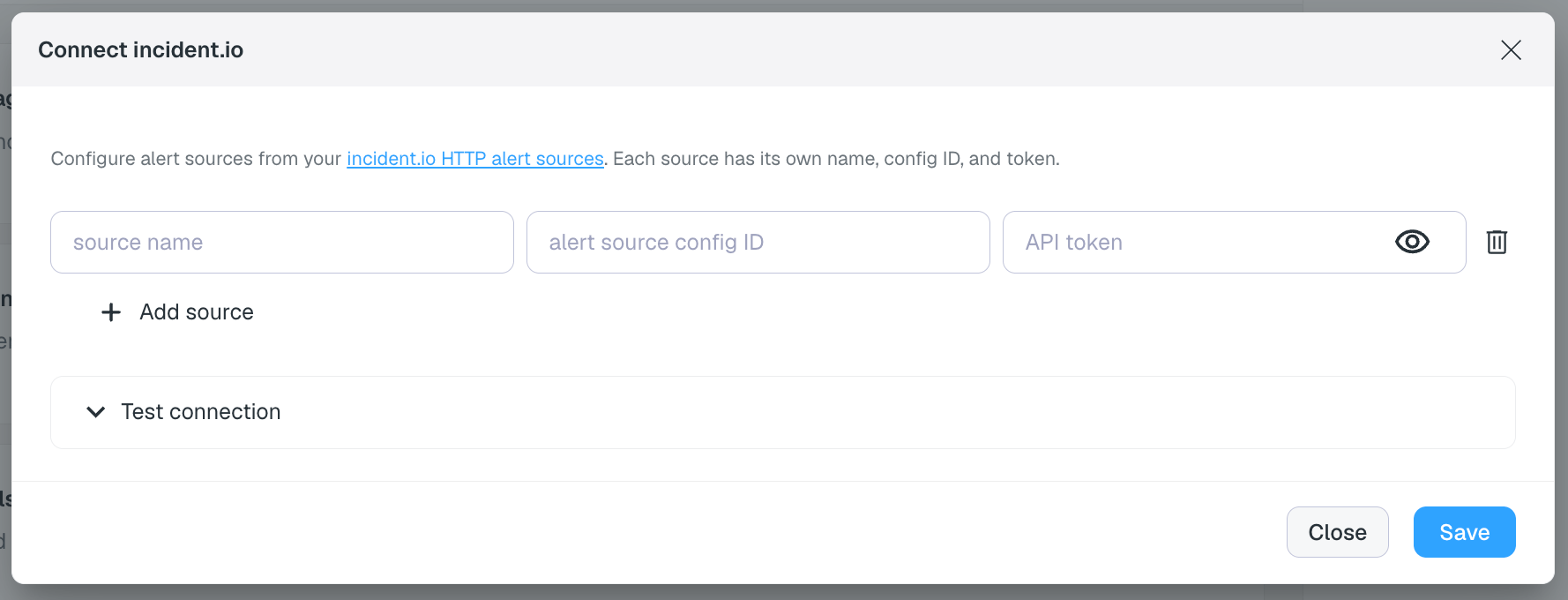
- Fill in the connection details from your incident.io alert source:
- Source name — a display name for this alert source (e.g. “Elementary Cloud”)
- Alert source config ID — the config ID from the alert source URL
- API token — the Bearer token from the authentication headers
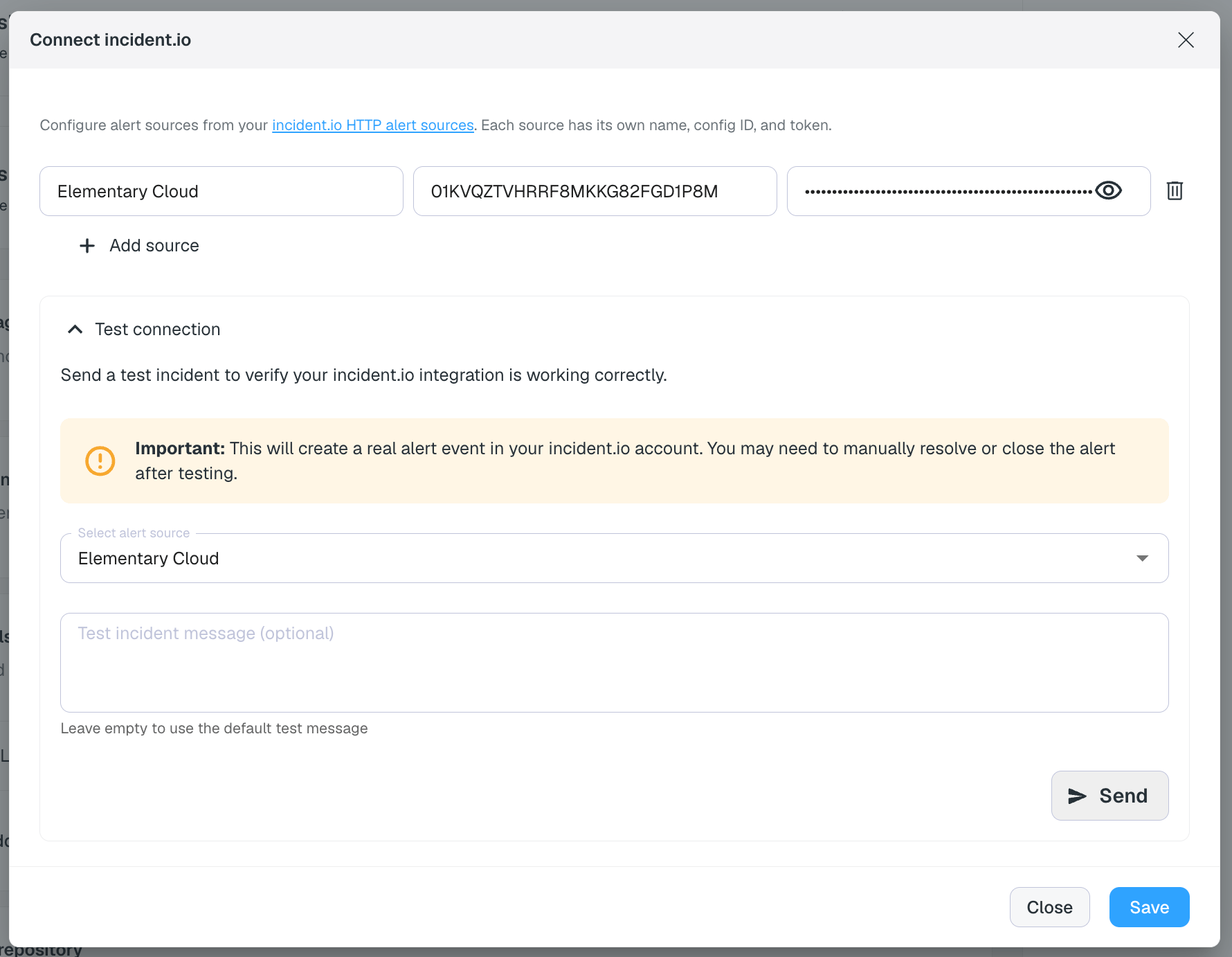
- Expand Test connection to send a test alert and verify the integration is working.
- Click Save. incident.io will now be available as a destination on the alert rules page.
Configure the Alert Source in incident.io
After sending a test alert from Elementary, go back to the incident.io alert source setup page. You should see the test alert appear in the alerts list on the right side. Click Continue.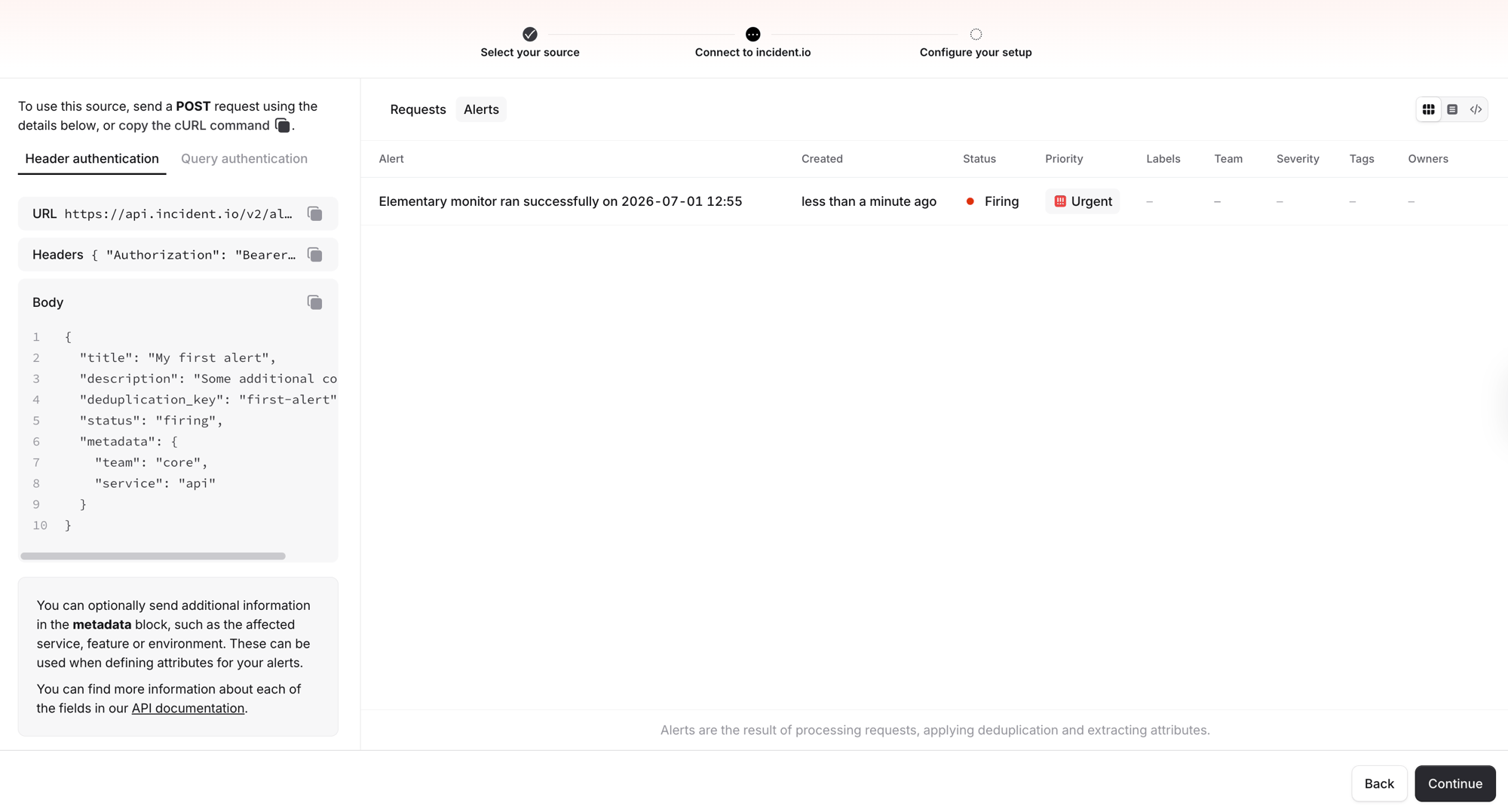
- You will land on the alert source configuration page, where you can set up:
- Title — how the alert title is extracted from the payload
- Connections — routing rules for how alerts create incidents
- Attributes — map metadata fields from the alert payload to structured attributes (see below)
- Click Save to finish the alert source setup.
Configure Alert Attributes
Elementary sends metadata with each alert (such as severity, owners, and tags). To use these fields for routing, filtering, or displaying in incident.io, configure Alert Attributes in your alert source settings. In the alert source configuration, click Attributes to map metadata fields. The alert payload is displayed on the right, making it easy to see which fields are available and map them.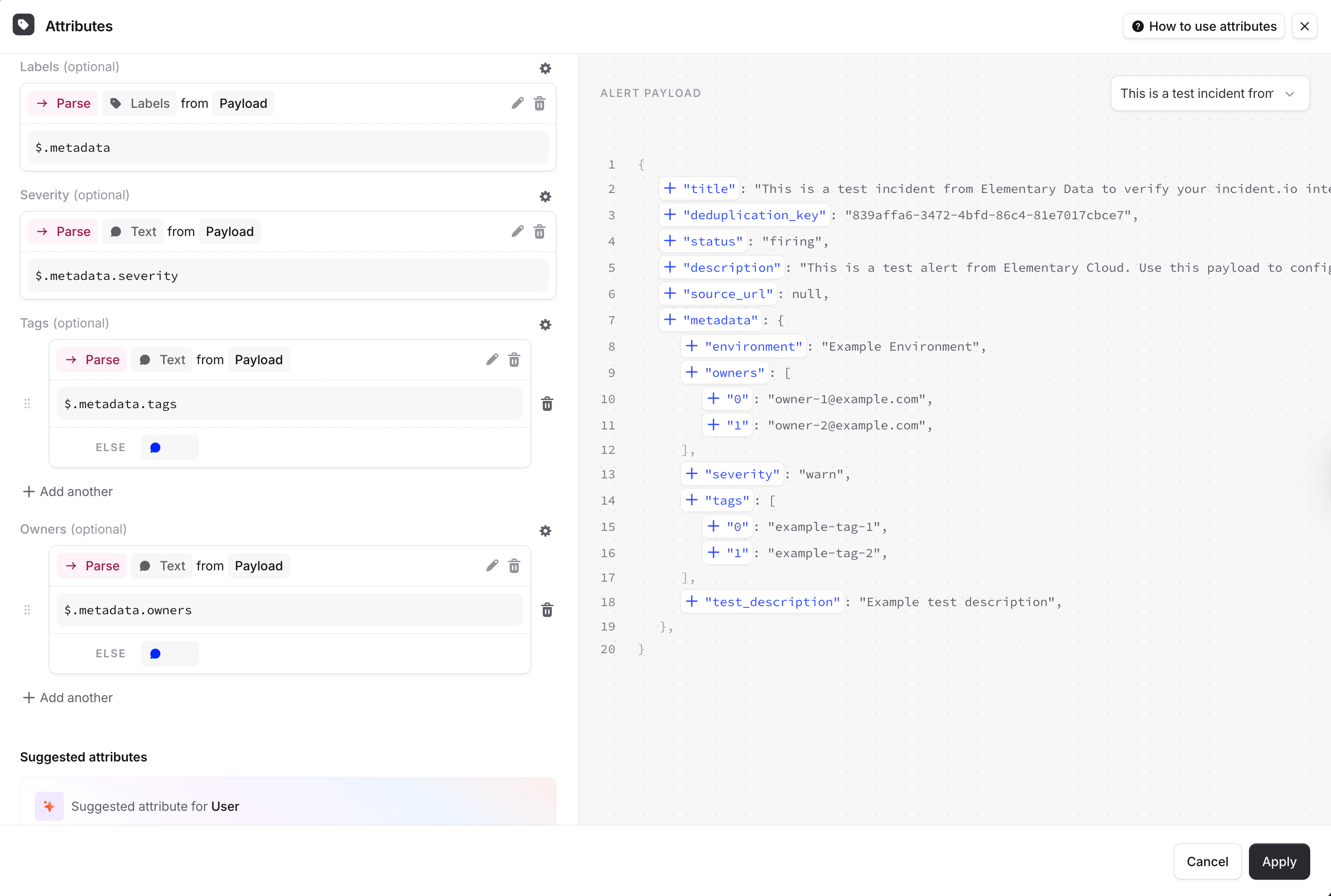
Available metadata fields
Elementary sends the following metadata fields depending on the alert type. All fields are optional — they are included only when the data is available.Recommended attribute mappings
We recommend mapping these fields in incident.io:metadata.severity→ a Severity or text attribute — enables routing alerts by severitymetadata.owners→ a multi-value text attribute — enables filtering and routing by data ownermetadata.tags→ a multi-value text attribute — enables filtering by tag
For array fields like
owners and tags, make sure to select a type that supports multiple values in incident.io’s attribute configuration.How alerts work
Alert creation and deduplication
Each Elementary alert includes a deduplication key based on the alert’s identity (test, model, or pipeline). incident.io uses this key to:- Create a new alert when a new issue is detected
- Deduplicate — avoid creating duplicate alerts for the same ongoing issue
- Auto-resolve — when a test passes again, Elementary sends a resolved event with the same deduplication key, which closes the alert in incident.io
Alert types
Elementary sends the following alert types to incident.io:- Test alerts — dbt and Elementary test failures
- Model alerts — dbt model and snapshot failures
- Source freshness alerts — source freshness check failures
- Pipeline alerts — pipeline connector failures (Fivetran, etc.)
- Resolved alerts — automatically sent when a previously failing test/model passes
Link to Elementary
Each alert includes a source URL linking back to the relevant page in Elementary Cloud, so you can quickly investigate the issue.Alerts and incidents in incident.io
Each alert sent by Elementary appears in incident.io with full metadata, attributes, and a link back to Elementary Cloud.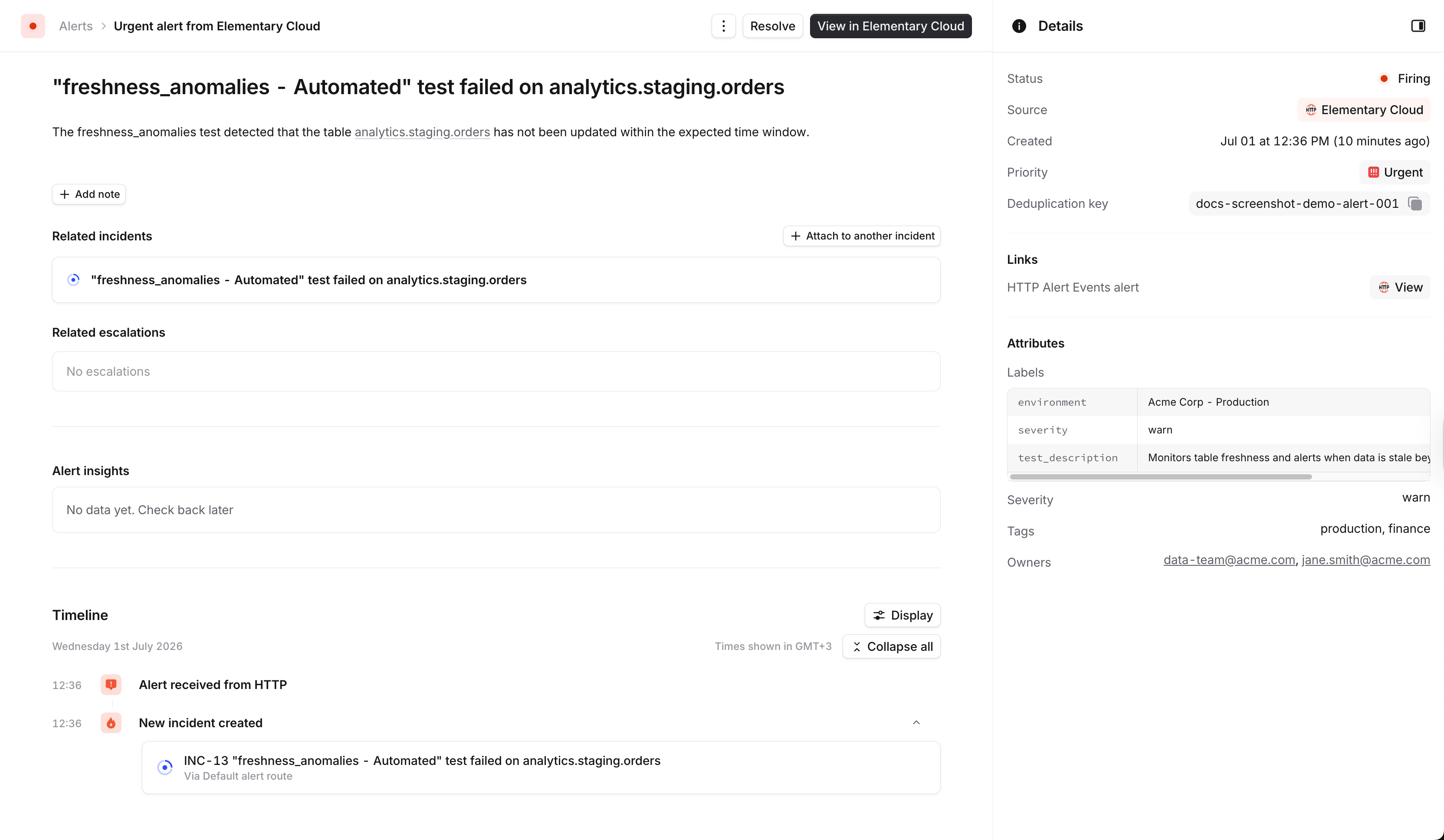
Alert detail in incident.io
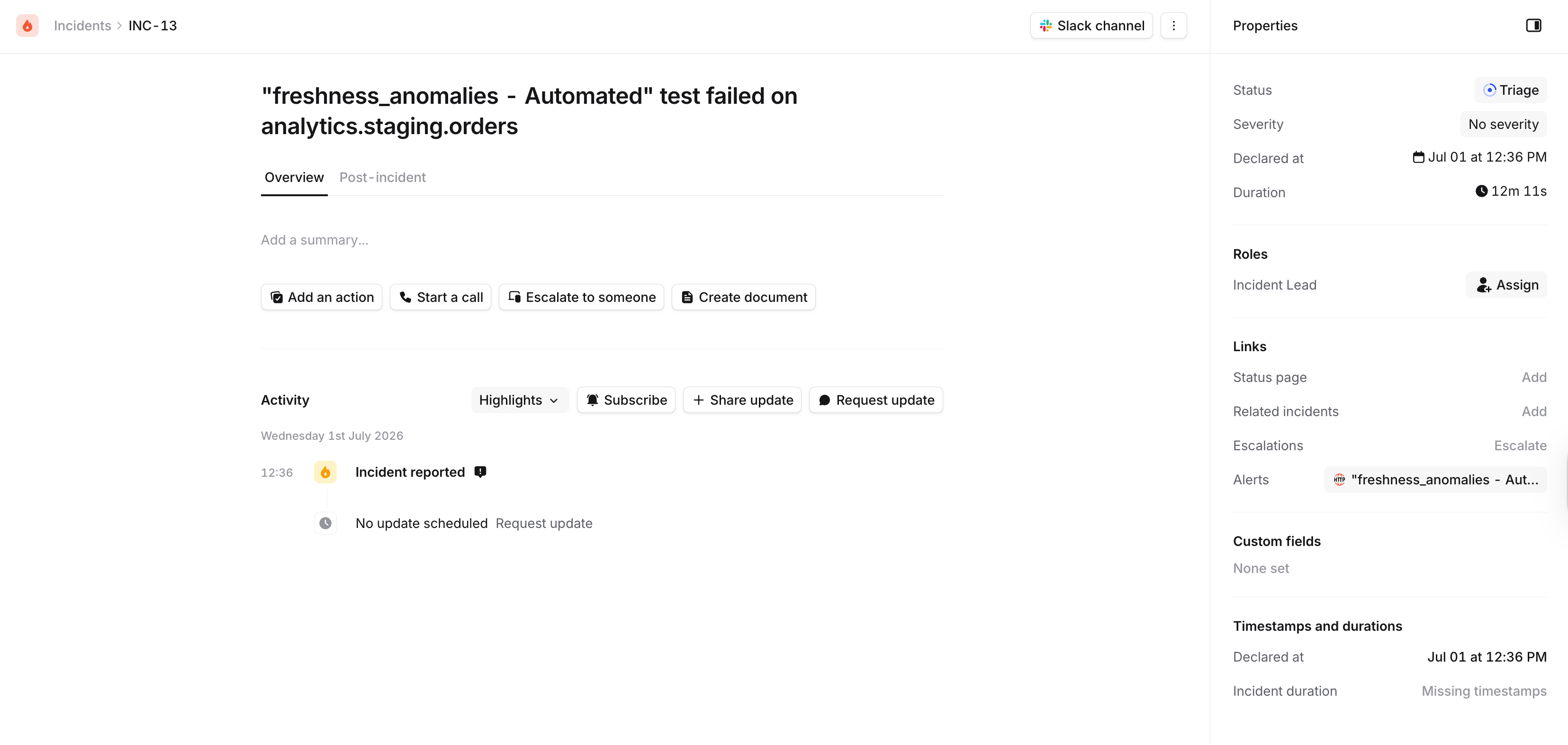
Incident created from an Elementary alert
Slack notifications
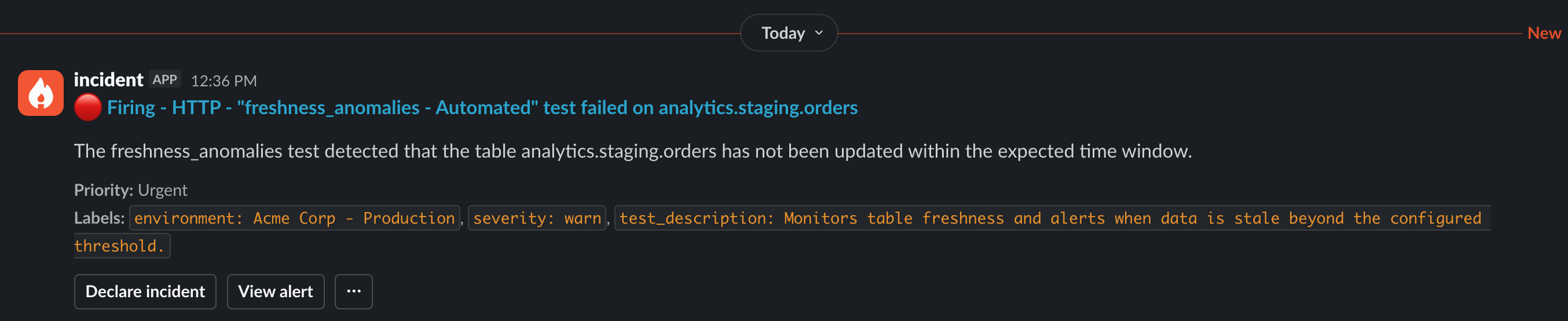
If you have Slack notifications configured in incident.io, alerts and incidents will appear in your Slack channels with the alert details, labels, and action buttons.